SamFw FRP Tool v6.2 Download for Windows | Samsung FRP, CSC & Odin 2027

A Samsung phone stuck on the Google account screen after a reset can be frustrating. SamFw FRP Tool is a Windows program that helps technicians service supported Samsung phones. Apart from FRP bypass, it also allows users to change CSC, perform Odin flash, and remove bloatware in one package. The software itself is free to download, but its practical usage is divided into a free version and a paid version.
Also Read Trusted Tools: Dars Unlock Tool v2026.08.25.0 & MDM Fix Tool
Key Takeaways
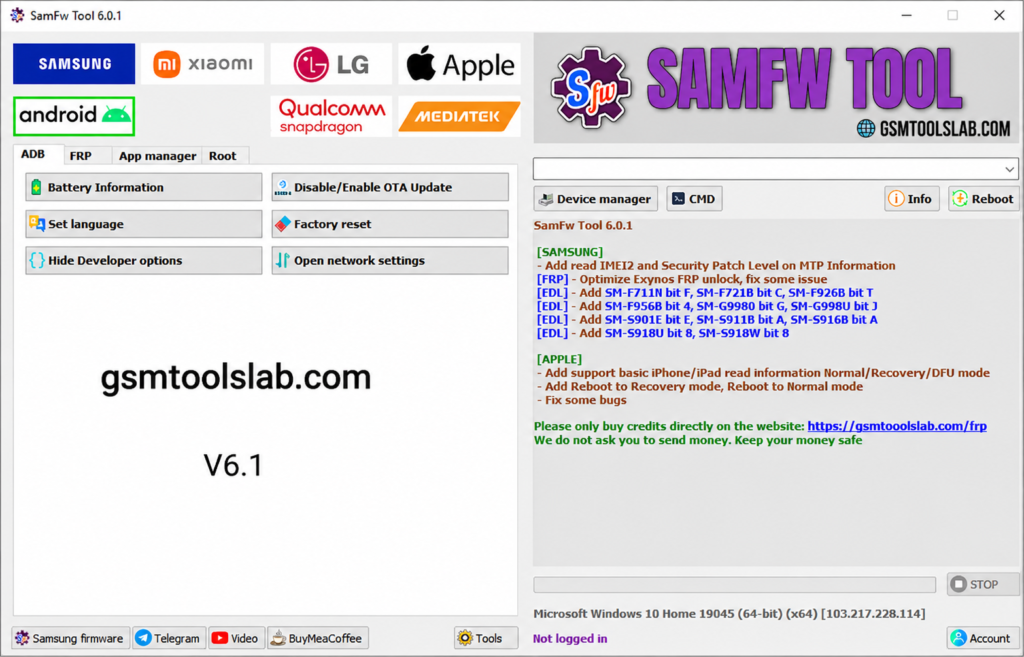
- Latest Version: v6.2, listed on the official SamFw changelog.
- Platform: Windows PC, built mainly for Samsung phones.
- Main Jobs: FRP removal, CSC change, Odin flashing, factory reset, and Exynos unlock.
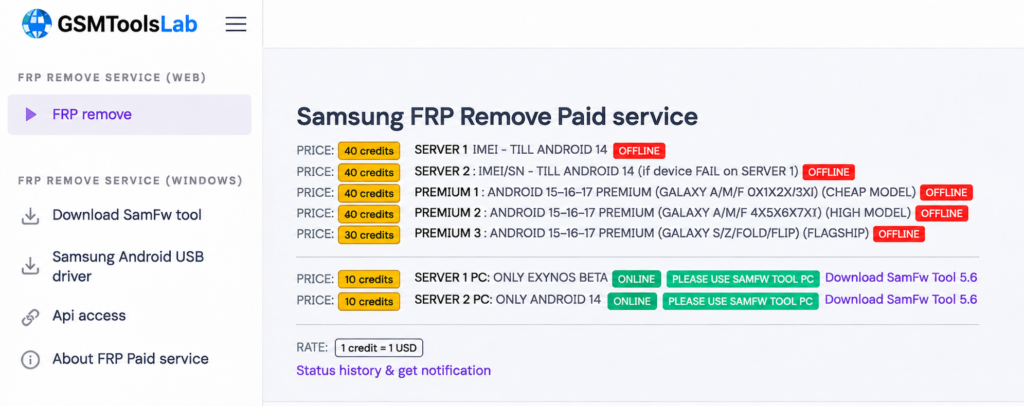
- Note: Basic FRP removal is free on older security patches. Newer phones use a paid service.
What Is SamFw FRP Tool?
SamFw FRP Tool is a Windows servicing program made by Tungtata and the SamFw team. This tool works with Samsung phones first. It also has limited options for Xiaomi, LG, MediaTek, and Qualcomm devices. Use it only on phones you own or have permission to service.
Features of SamFw FRP Tool 2027
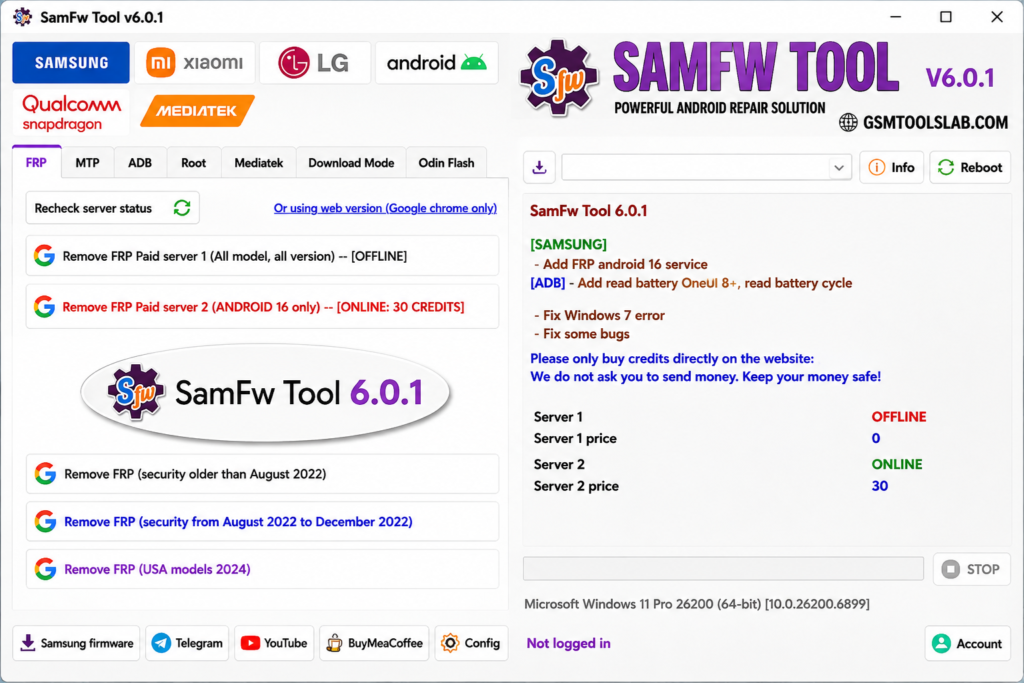
FRP Removal
It offers different FRP options for different security patch levels, including an Android 16 service. Results depend on the model and patch date.
CSC Change
CSC is the country and carrier code on a Samsung phone. The tool can change it on supported models.
Additional Android Utilities
In this tool, robots are incorporated to make this process quicker and more efficient. Additionally, it is more flexible than other tools.
MTK & Qualcomm Support
The tool also includes options for MediaTek and Qualcomm devices. Available functions depend on the chipset and supported phone model.
Odin-Style Firmware Flashing
Download Mode tools flash BL, AP, CP, CSC, and DATA files. They include an MD5 check. Always use firmware that matches the exact model.
Exynos Unlock in Download Mode
Version 6.2 adds Exynos unlock in Download Mode. Listed chipsets range from Exynos 850 to Exynos 2600, plus W920, W930, and W1000.
Device Information and App Manager
The tool reads the model, serial number, IMEI2, and security patch level. It can also install APK files and remove bloatware.
What’s New in v6.2?
- New Exynos unlock in Download Mode.
- Better Exynos FRP unlock from v6.1 and v6.0.
- More EDL Emergency Download Mode support for newer Samsung models.
- IMEI2 and security patch level in MTP information (v6.0).
- Basic iPhone and iPad information reading (v6.0).
- Bug fixes.
Supported Brands and Functions
| Brand or Chipset | Common Functions |
|---|---|
| Samsung | FRP, CSC, Knox options, factory reset, Odin flash |
| Xiaomi | FRP by Fastboot, Mi Cloud options, EDL functions |
| LG | FRP, factory reset, KDZ flashing |
| Qualcomm (EDL 9008) | FRP reset, partition tools |
| MediaTek | Factory reset, FRP, bootloader options |
Xiaomi and LG support is limited compared to Samsung.
Download Information
- Tool Name: SamFw FRP Tool
- Version: v6.2
- File Type: ZIP or RAR
- Developer Tungtata and the SamFw team
- File Size: 72.4 MB
Here is the Official download link 👇
| Detail | Information |
|---|---|
| Tool Name | SamFw FRP Tool |
| Version | v6.2 |
| File Size | About 54 to 71 MB (differs by page) |
| Platform | Windows |
| Developer | Tungtata and the SamFw team |
| License | Free basic FRP, paid service for newer devices |
System Requirements
| Requirement | Details |
|---|---|
| Operating System | Windows 7, 8, 10, or 11 (64-bit) |
| RAM | 2 GB minimum, 4 GB recommended |
| Storage | 100 MB free, more for firmware |
| USB | Data cable and USB 2.0 or higher |
| Drivers | Samsung USB driver |
| Runtime | Visual C++ 2015 |
How to Download and Install the Tool
- Get the file from the gsmtoolunlock or from a trusted source and compare its MD5 checksum.
- Extract the ZIP and run the setup as administrator.
- Install the Samsung USB driver and Visual C++ 2015.
- Check your phone’s security patch date.
- Connect the phone and follow the tool’s on-screen prompts for your model.
- Accept the USB debugging prompt on the phone.
- Keep the cable connected until the job ends and the phone restarts.
Pros and Cons
| Pros | Cons |
|---|---|
| FRP, CSC, and flashing in one tool | Newer phones need a paid service |
| Free basic FRP on older patches | Can fail on the newest security patches |
| Official page shows MD5 checksums | Antivirus may flag it |
| Regular updates for Exynos and EDL | Windows only, no Mac version |
Conclusion
SamFw FRP Tool v6.2 is a Windows servicing utility for supported Samsung devices, with limited options for Xiaomi and LG models. Key features include FRP services, CSC changes, Odin firmware flashing, factory reset, device information, app management, and Exynos Download Mode support. The release lists Exynos chipsets from 850 to 2600, alongside selected wearable chipsets. Before use, check your phone model, Android version, security patch, drivers, and service availability. Download from the official page and verify the MD5 checksum.
Frequently Asked Questions
What is SamFw FRP Tool used for?
It is used to service Samsung phones on Windows. Common jobs are FRP removal, CSC change, factory reset, and firmware flashing.
Is SamFw FRP Tool free?
Basic FRP removal is free on older security patches. Newer phones need the paid service, so check the official site for current pricing.
Is SamFw FRP Tool safe to use?
It is safer to download it from the official page, where you can compare MD5 checksums.
What is the latest version of SamFw FRP Tool?
The official changelog lists v6.2.
Does SamFw FRP Tool work on Android 14, 15, and 16?
It lists an Android 16 FRP service, but results depend on the model and security patch. Free options work best on older patches.
Which Samsung phones are supported?
Many Samsung models are supported, including Exynos phones through Download Mode and newer models through EDL. No full list exists, so check your exact model.
Why does SamFw FRP Tool not detect my phone?
Install the Samsung USB driver, try another cable or port, and run the tool as administrator. Also make sure the phone is in the mode your model needs.