Modem META Tool v10.2340.0.05.zip Free IMEI | Windows (2026)

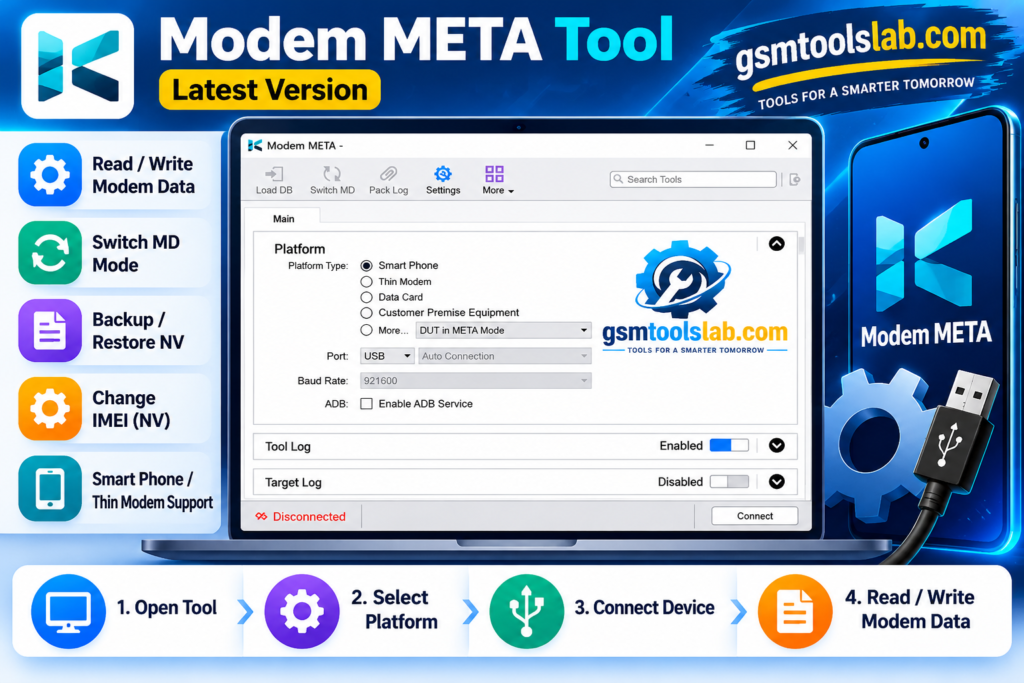
Lost your IMEI or seeing “Invalid IMEI” on a MediaTek phone? Modem META Tool is a free Windows program that helps repair, back up, and restore IMEI, serial number, Bluetooth, and Wi-Fi data on MediaTek phones. It talks to the phone in META mode. It also supports live device detection, automatic port selection, and IMEI backup and restore, making the repair process.
Also Read Trusted Tools: TTA EDL Tool V1.0.4 Free Download ↗️
Key Takeaways
- Tool: A Windows utility for MediaTek (MTK) phones and tablets.
- Main use: IMEI repair, backup, and restore in META mode.
- Connections: USB, UART, and IP.
- Not for: Qualcomm or Spreadtrum/Unisoc phones.
- Needs: MediaTek USB drivers, and sometimes security or database files.
What Is Modem META Tool?
Modem META Tool is a Windows-based servicing tool for phones, tablets, and data cards with MediaTek chips. It is the newer replacement for the older Maui META tool. Repair shops use it when the IMEI is missing, broken, or wiped after a flash or an update.
An IMEI is a 15-digit number that identifies your phone on the mobile network. Dual SIM phones have two. If the number is damaged, the phone may show “No Service” or “Invalid IMEI.”
Features of Modem META Tool
IMEI Writing and Repair
It writes or repairs IMEI data when the number is lost or corrupted. Some phones also need a modem database (DB) file.
IMEI Backup and Restore
You can save the IMEI before servicing and restore it later. Always make a backup first.
Smartphone and Data Card Support
It works with MediaTek smartphones, tablets, and compatible data cards.
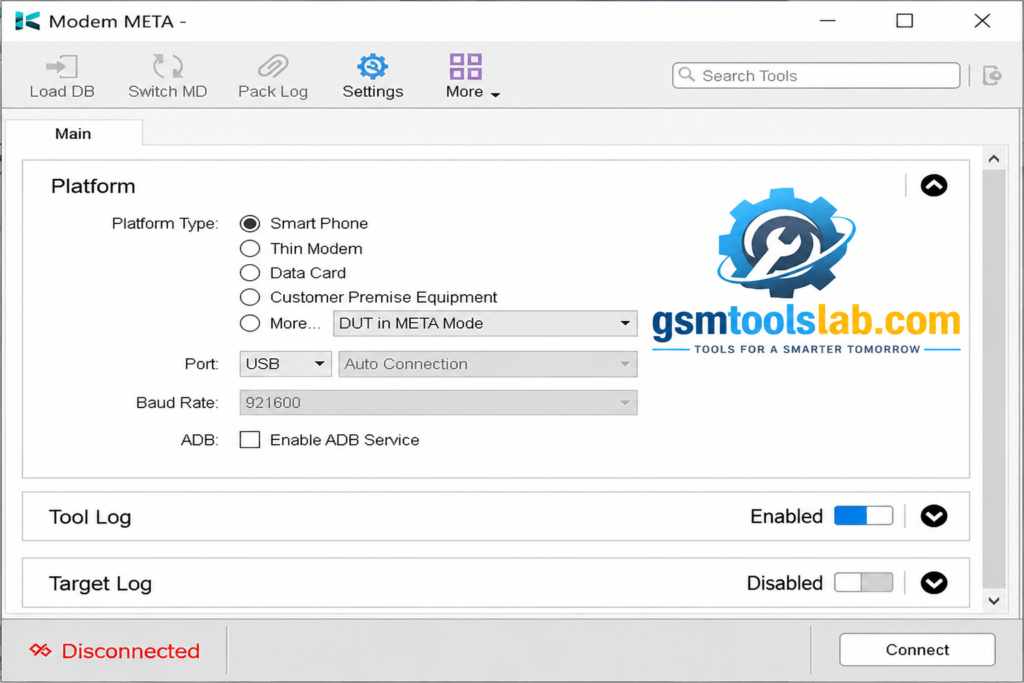
USB, UART, and IP Connectivity
You can connect through USB, UART, or IP, depending on the device.
Baud Rate Adjustment
You can change the baud rate to keep the link between the PC and the phone stable.
Log Tracking
The log window shows each step and its status. It helps you find errors fast.
META Mode Support
META mode is a special MediaTek mode used for testing and repair. The tool needs the phone in this mode.
Security File Management
Some newer phones need security files before the tool can write data.
Modem META Tool Download Information
- Tool Name: Modem META Tool
- Version: V10.2340.0.05
- Requirements: MediaTek USB drivers
- File Password: 🗝 None
- File Size: 142 MB
Here is the Official download link 👇
What’s New in This Version?
- Better support for newer MediaTek chipsets
- 5G support on compatible devices
- Improved IMEI flash, repair, and restore
- Better device detection and automatic port selection
System Requirements
| Requirement | Details |
| Operating System | Windows 7, 8, 10, or 11 |
| RAM | 4 GB recommended |
| USB | An original USB cable |
| Drivers | MediaTek USB drivers |
| Phone | MediaTek-based device |
How to Download and Use the Modem META Tool
- Download the file from gsmtoolslab or another trusted source and scan it with antivirus.
- Extract the RAR or ZIP file.
- Run the setup file and click Next, then Install, then Finish.
- Install the MediaTek USB drivers if they are missing.
- Open the tool. Run it as administrator if Windows asks.
- Switch the phone to META mode and connect it with the cable.
- Choose your connection type, then the IMEI option you need.
- Back up the old IMEI, then follow the on-screen steps.
Pros and Cons
| Pros | Cons |
| Built for MediaTek phones | Works only on MediaTek chips |
| IMEI backup and restore | Some phones need security or DB files |
| USB, UART, and IP options | Results change with device and firmware |
| META mode support | Advanced options need technical skill |
| Live log tracking | Wrong use can cause legal problems |
Common Errors and Fixes
- Stuck on “Connect to MD”: The phone is not in META mode, or the drivers do not match.
- Phone not detected: Reinstall the drivers and try another cable or port.
- SLA verification error: Newer phones use security checks that can block IMEI work.
- Stuck at Boot stage: The Preloader or BROM connection may be missing.
Is Modem META Tool Legal and Safe?
Scan every download before you run it, and use only a trusted source. Antivirus programs may warn about servicing tools.
Legally, restore only the original IMEI printed on your phone’s box or tray. Writing a different IMEI is illegal in many countries.
Conclusion
Modem META Tool is a handy Windows tool for IMEI repair on MediaTek phones. It offers backup, restore, and several connection types. Check your chipset first, install the right drivers, and always save a backup. It has a user-friendly interface and is very easy to operate for every kind of user, whether they are a beginner or an expert technician. You can easily repair your device with simple steps.
Modem META Tool FAQs
What is the Modem META Tool used for?
It is used to repair, back up, and restore IMEI data on MediaTek phones. It also handles serial number, Bluetooth, and Wi-Fi addresses.
Is Modem META Tool free?
Many sites offer it as a free download. Verify the source before you install it.
Does Modem META Tool support Qualcomm phones?
No. It is made for MediaTek chips only. Qualcomm phones need other tools.
What is META mode on MediaTek phones?
META mode is a special connection mode for testing and repair. The PC uses it to read and write modem data.
Can it back up and restore the IMEI?
Yes. Back up the IMEI first, then restore it if something goes wrong.
Does it need root access?
No. It talks to the phone through META mode, so root is not needed.
Why is Modem META Tool stuck on “Connect to MD”?
The phone is usually not in META mode, or the drivers and files do not match.
Why is my phone not detected?
Missing MediaTek drivers, a weak cable, or the wrong phone mode are common causes.
Why do I see an SLA verification error?
Some new MediaTek phones use security checks that can block IMEI servicing.
Is it legal to change an IMEI?
Restoring your original IMEI is fine. Writing a different IMEI is illegal in many countries.
One Comment