BFT Tool v1.8 Updated Setup | Download for Windows | By BossV [2027]

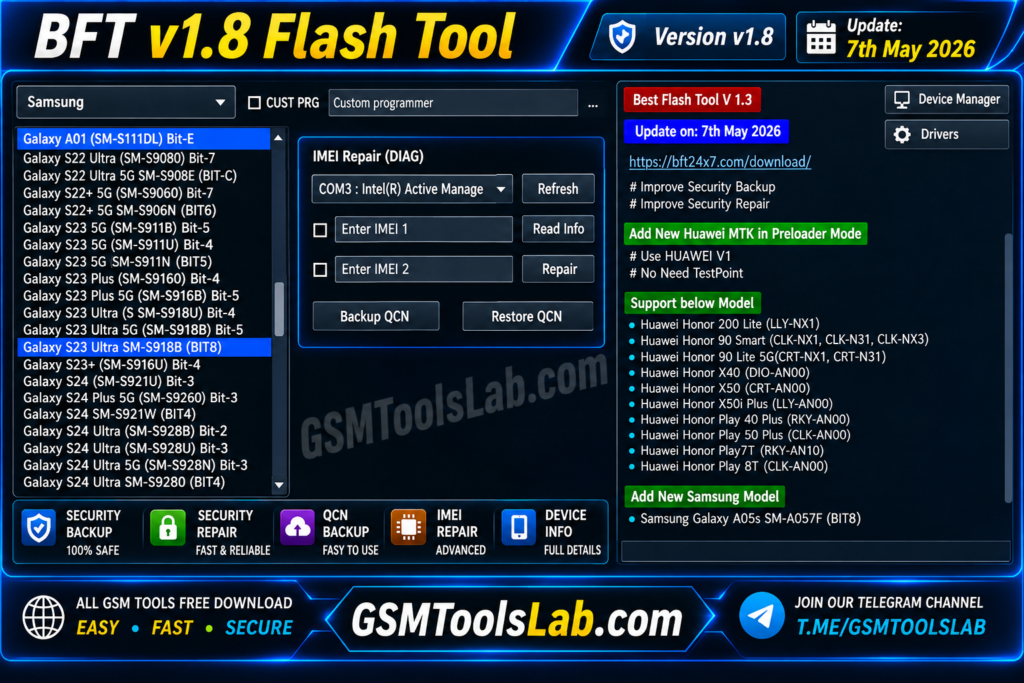
FRP locks, forgotten screen locks, boot loops, a phone stuck on the logo, or a lost IMEI can stop repair work. BFT Tool is a Windows program that brings flashing, FRP reset, IMEI repair, and factory reset together for MediaTek (MTK), Qualcomm, and Unisoc (SPD) phones. BFT Tool v1.8 helps to prevent these problems with a single Windows application that supports MTK, Qualcomm, and SPD devices from Samsung, Xiaomi, Redmi, POCO, Oppo, Vivo, Realme, Huawei, Motorola, Infinix, Tecno, and Nokia.
Also Read Trusted Tools: SamFw FRP Tool | Dars Unlock Tool
Key Takeaways
- Version: v1.8, listed under the name BossV (Miracle Team).
- Platform: Windows PC, with MTK, Qualcomm, and Unisoc support.
- Main Jobs: Firmware flashing, FRP and screen lock removal, IMEI repair, and RPMB backup.
- Note: No official developer site is confirmed. Support depends on model, chipset, and firmware.
What Is BFT Tool?
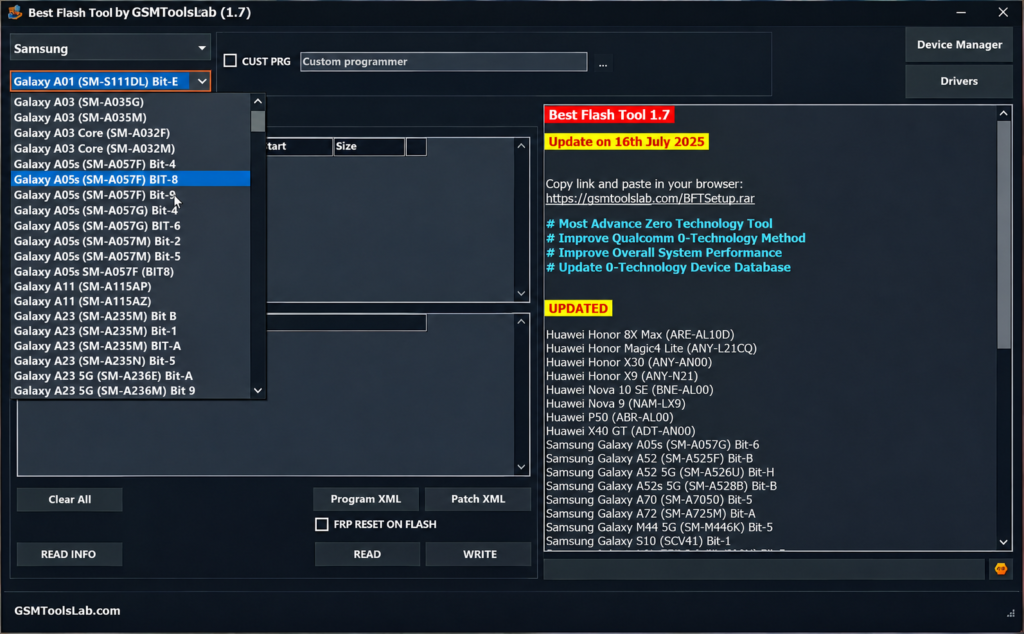
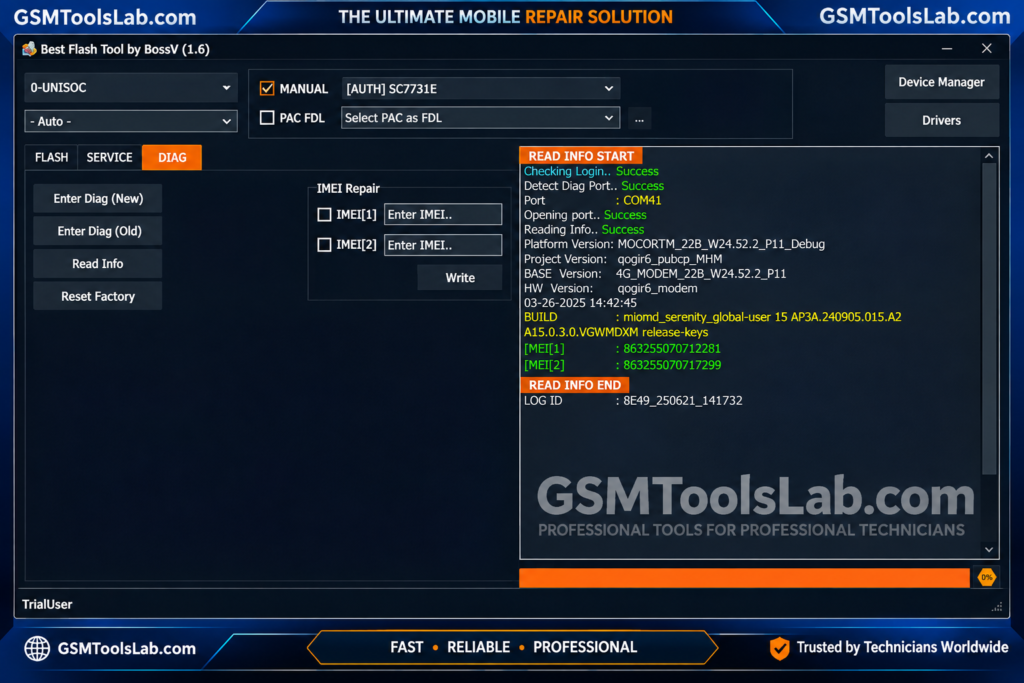
BFT Tool is a Windows servicing application for mobile technicians. It has one interface for firmware flashing, FRP reset, screen lock removal, bootloader work, IMEI repair, and MDM tasks. It works with three chipset families: MediaTek, Qualcomm, and Unisoc (SPD). It allows you to flash firmware, remove FRP, repair IMEI, perform factory resets, and easily read device information. BFT Tool makes the process fast, easy, and reliable
Key Features of BFT Tool
Flash Firmware
The tool flashes stock firmware to fix boot loops and software faults. MTK phones use scatter files with a BROM method. Qualcomm phones use Firehose loaders with XML and Patch XML files. Unisoc phones use PAC or CFG files.
Screen Lock and FRP Removal
The tool lists FRP reset and PIN, pattern, or password removal through ADB, Meta, and Diag methods. The method depends on the chipset and phone state.
MTK Meta Mode
Meta Mode can read device info, format eMMC and UFS storage, read and write NVM data, and run a factory reset.
Infinix, iTel, and Tecno ADB Mode
An ADB-only mode can enable or disable ADB and reset FRP on selected models.
IMEI Repair
The tool can repair and check IMEI on supported MTK and Qualcomm phones. Results depend on the model and firmware.
Factory Reset, Mi Account, and MDM
It offers one-click factory reset and safe format. Selected Xiaomi phones get Mi Account reset, and some models get MDM or Huawei ID options.
RPMB Backup and Restore
RPMB is a protected memory area. The tool can back it up before servicing and restore it later on supported devices.
What’s New in v1.8?
- Faster performance and better stability.
- Stronger Qualcomm support.
- New auto and universal functions.
- About 250 new device models, as listed on some pages.
- Better model search.
- More Infinix, iTel, Realme, and Nokia support, and better Motorola and Samsung compatibility.
Supported Brands and Chipsets
| Group | Details |
|---|---|
| Chipsets | MediaTek (MTK), Qualcomm, Unisoc (SPD) |
| Brands | Samsung, Xiaomi, Redmi, POCO, Oppo, Vivo, Realme, Huawei |
| More brands | Motorola, Infinix, iTel, Tecno, Nokia, ZTE |
No full model list is published. Check your exact model before you start.
BFT Tool Download Information
- Tool Name: BFT Tool (NEW UPDATED)
- Version: v1.8
- File Type: ZIP or RAR
- Developer: BossV (Miracle Team)
- File Size: About 31 MB
Here is the Official download link 👇
System Requirements
| Requirement | Details |
|---|---|
| Operating System | Windows 7, 8, 10, or 11 |
| Processor | Intel or AMD dual-core or better |
| RAM | 4 GB minimum, 8 GB recommended |
| Storage | 500 MB minimum, 2 GB recommended |
| Drivers | Android USB, MTK, Qualcomm, and Unisoc drivers |
| Other | Good USB cable and a charged phone |
How to Download and Install the Tool
- Choose and download from a GSMToolslab download button or from a trusted source.
- Extract the archive into its own folder.
- Scan the files with antivirus before you open them.
- Install the USB drivers for your phone.
- Run the setup and the tool as administrator.
- Pick a function and read the log instructions.
- Connect the phone and keep the cable in until the job ends.
If you see a missing DLL error, install the Microsoft Visual C++ package and run the tool again.
Pros and Cons
Pros
- Flashing, FRP, and IMEI repair in one tool
- Supports MTK, Qualcomm, and Unisoc
- No hardware dongle needed
- Simple Windows interface
Cons
- No confirmed official developer site
- Support varies by model and firmware
- Wrong firmware can brick a phone
- Antivirus may flag it
Conclusion
BFT Tool v1.8 gives technicians one Windows program for flashing, FRP reset, IMEI repair, and RPMB backup on MTK, Qualcomm, and Unisoc phones. This tool performs different functions, such as FRP bypass, removing the lock screen, IMEI repair, and unlocking the bootloader. You can download the BFT tool from our website and solve your device problem confidently. Check your model, install the right drivers, and back up your data first.
BFT Tool FAQ’s
What is BFT Tool used for?
It is used to service Android phones on Windows. Common jobs are firmware flashing, FRP and screen lock removal, IMEI repair, and factory reset.
Is BFT Tool free?
Yes, BFT Best Flash Tool is 100% free to use with no activation required. Check out the supported devices.
Is BFT Tool safe to download?
Only if you scan the file and avoid unknown sources. Never turn off antivirus for a file you cannot verify.
When will BFT Tool V1.9 latest version be released?
There is no official release date for BFT Tool v1.9 yet. But the expected date is that it will be released at the end of 2026.
Which brands and chipsets are supported?
It supports MTK, Qualcomm, and Unisoc chips. Listed brands include Samsung, Xiaomi, Oppo, Vivo, Realme, Huawei, Infinix, Tecno, Motorola, and Nokia.
Does BFT Tool need a dongle?
No. It runs on Windows without a hardware dongle. Some functions still depend on the device and firmware.
Why is BFT Tool not detecting my phone?
Install the right USB drivers, try another cable or port, and put the phone in the correct mode. If you see “failed to check for new version”, check your internet, VPN, and firewall.