The Ghost Tool v3.0.0.2 Download for Windows (Updated 2027)

A phone with a forgotten screen lock, a firmware error, or a network fault can stop a repair job. The Ghost Tool is a Windows servicing program that brings device info, resets, flashing, and network repair together for Qualcomm, MediaTek, and Unisoc (SPD) Android phones.
Also Read Trusted Tools: Android Utility Tool | QFIL Tool
Key Takeaways
- Version: v3.0.0.2 is the latest version.
- Platform: Windows PC, with Qualcomm, MediaTek, and Unisoc support.
- Main Jobs: Device information, factory reset, firmware flashing, CSC and network repair, and service functions.
- Note: No official license source has been confirmed.
What Is The Ghost Tool?
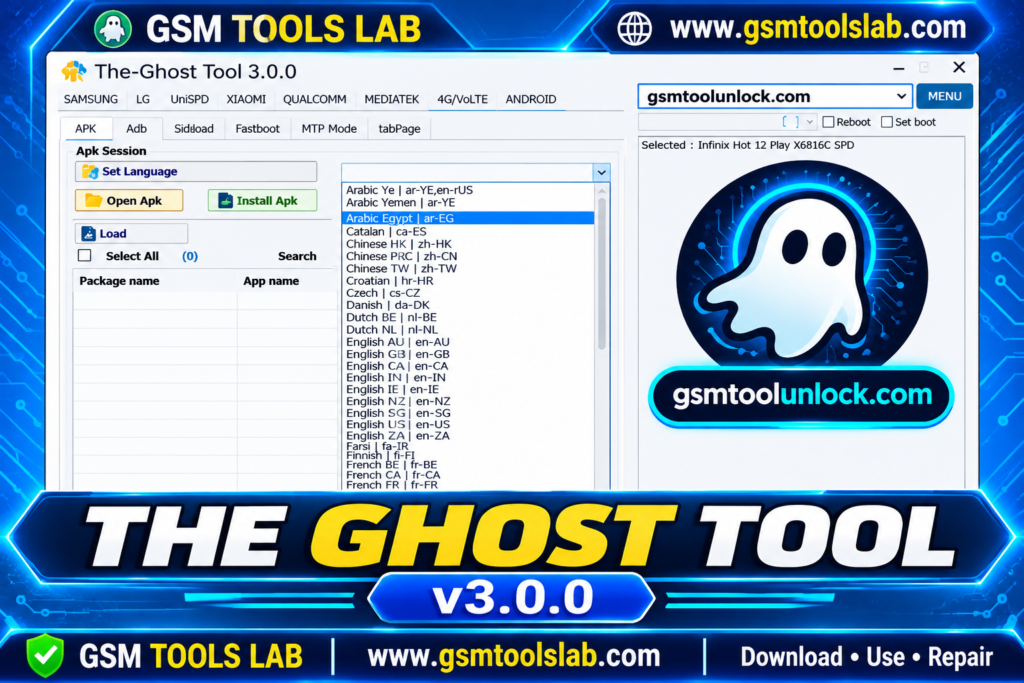
The Ghost Tool is a Windows application for technicians and advanced users. It connects to Android phones and tablets over USB. It uses ADB, Fastboot, Download Mode, EDL, and MTP. The tool lists Samsung, LG, Xiaomi, and Vivo, and some pages add Oppo, Realme, Huawei, and Motorola. Results depend on the model, chipset, firmware, and security patch.
Key Features of The Ghost Tool
Device Information
It reads the model, Android version, serial number, and security patch before a job.
Samsung Servicing
Download Mode flashing, CSC change, bloatware removal, OTA control, and Knox Guard (KG) options. Results depend on the model and patch.
Xiaomi Servicing
Xiaomi options use ADB, Sideload, and Fastboot modes, including Mi Account functions on selected models.
Qualcomm, MediaTek, and Unisoc Functions
Firmware flashing, factory reset, and diagnostics. Qualcomm phones use EDL, and Unisoc phones use PAC firmware.
Factory Reset and Screen Lock Servicing
These options return a phone to a clean state or clear a forgotten lock. They can erase data, so back up first.
FRP Servicing
The tool lists FRP options on some phones. FRP is an anti-theft feature, so use it only on a phone you own or have permission to service. Newer security patches can block it.
Network and CSC Management
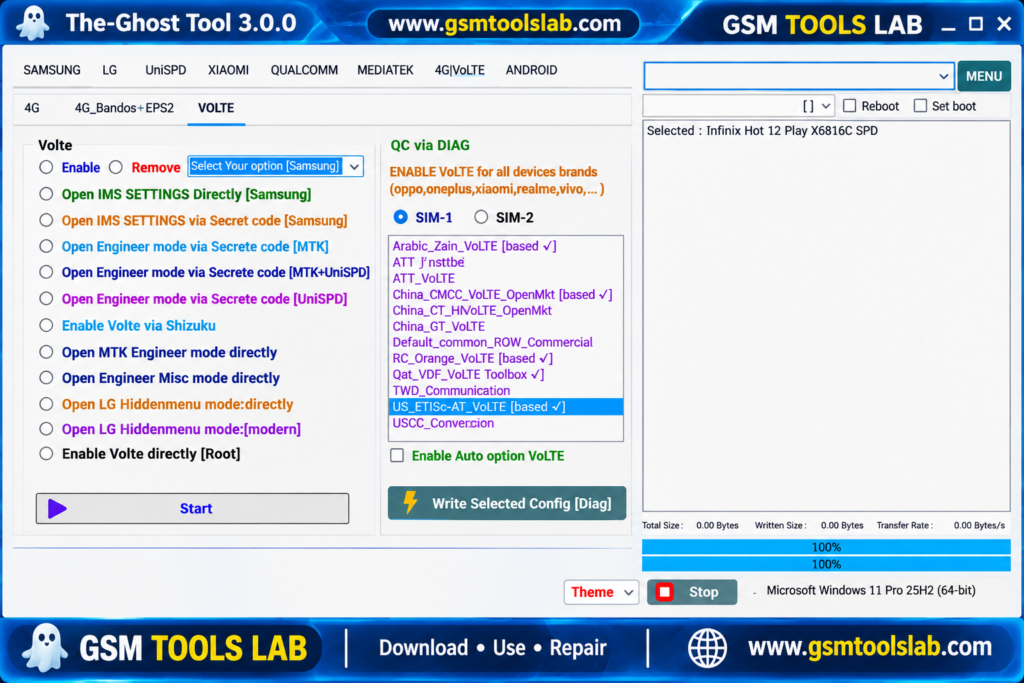
CSC changes, band selection, VoLTE fixes, and baseband repair on selected models.
IMEI Repair
IMEI repair is listed on some Qualcomm and LG models. IMEI rules differ by country, so use it only where the law allows.
What’s New in the Latest Version?
- A partition table read option (Read GPT).
- Samsung Android version and FRP status readout.
- Fixes for a Diag port hang and test mode detection.
- Better firmware flashing and detection.
The Ghost Tool Supported Brands and Chipsets
| Group | Details |
|---|---|
| Chipsets | Qualcomm, MediaTek, Unisoc (SPD) |
| Main brands | Samsung, LG, Xiaomi, Vivo |
| More brands on some pages | Oppo, Realme, Huawei, Motorola, Nokia, Tecno, Infinix |
| Modes | ADB, Fastboot, Sideload, Download Mode, EDL, MTP |
The Ghost Tool Download Information
- Tool Name: The Ghost Tool
- Version: v3.0.0.2
- File Type: ZIP or RAR
- Developer: Ghost Team
- File Size: 309 MB
Here is the Official download link 👇
The Ghost Tool System Requirements
| Requirement | Details |
|---|---|
| Operating System | Windows 7, 8, 10, or 11 |
| RAM | 4 GB recommended |
| Storage | 500 MB free |
| Drivers | Android, Samsung, Qualcomm, and MediaTek USB drivers |
| Other | Good USB cable, administrator access, internet if a login is needed |
How to Download and Install the Tool
- Download the tool from gsmtoolslab or from a trusted source.
- Extract the archive with WinRAR or 7-Zip into its own folder.
- Scan the files with antivirus before you open them.
- Install the USB drivers your phone needs.
- Turn on USB debugging if an ADB function needs it.
- Run the tool as administrator.
- Connect the phone, pick the function, and read the log.
- Keep the cable connected until the job ends.
Pros and Cons
| Pros | Cons |
|---|---|
| Many brands and chipsets in one tool | Support varies by model and patch |
| Flashing, reset, and network repair together | Needs drivers and the right mode |
| Works with ADB, Fastboot, and EDL | Some functions erase data |
| Suits repair shop work | No confirmed official site or license |
Conclusion
The Ghost Tool v3.0.0.2 is a Windows-based mobile servicing utility for technicians working with Qualcomm, MediaTek, and Unisoc Android devices. It brings together device information, firmware flashing, factory reset, FRP servicing, CSC management, and network repair features. With support for ADB, Fastboot, EDL, MTP, and Download Mode, it offers several options for phone maintenance. Before downloading, check device compatibility, install the required USB drivers, verify the setup file, and back up important data.
Frequently Asked Questions
What is The Ghost Tool used for?
It is used to service Android phones on Windows. Listed jobs are device info, factory reset, firmware flashing, CSC change, and network repair.
Is The Ghost Tool free?
Yes. The Ghost Tool is available as a free Windows utility.
Is The Ghost Tool safe to download?
Yes, download from a trusted site and scan it first.
What is the latest version of The Ghost Tool?
The latest version is v3.0.0.2; check before installing.
Which chipsets does it support?
Qualcomm, MediaTek, and Unisoc (SPD). Support differs by model and security patch.
Is it the same as Ghost Auth Tool?
No. Ghost Auth Tool is a separate product that focuses on Xiaomi phones.