SP Flash Tool v6.2404 Free Download for Windows & Linux (2027)

A MediaTek phone that is stuck on the logo, keeps restarting, or will not turn on after a bad update can stop a repair job. SP Flash Tool is a Windows-based utility for MediaTek devices that lets users flash compatible Stock ROMs, recovery images, and firmware packages using a Scatter file.
Also Read Trusted Tools: Fastboot Flash Tool V1.0.1.2 Free Download Setup | FRT Tool v1.7.5 Download for Windows
Key Takeaways
- Version: v6.2404 is the newest Windows build.
- Platform: Windows and Linux. No Mac build.
- Chipset: MediaTek (MTK) only. It does not support Qualcomm or Exynos phones.
- Note: Incorrect firmware can damage a phone, so always match the exact device model first.
What Is SP Flash Tool?
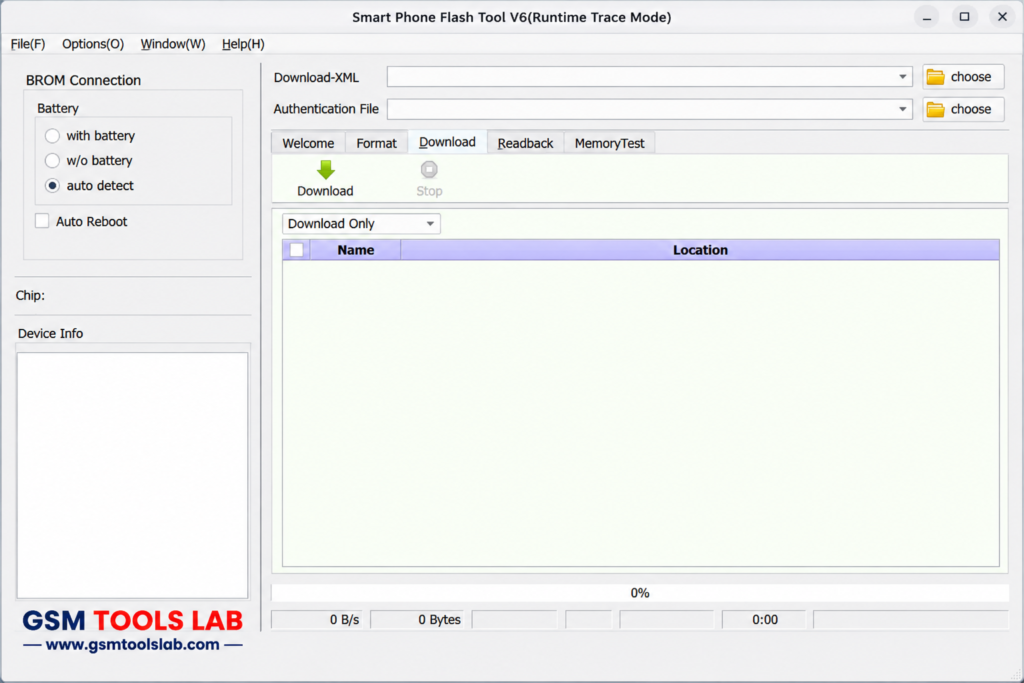
SP Flash Tool is a flashing program made by MediaTek, the chip company behind many budget and mid-range Android phones. Flashing means writing new software to the phone. The tool works while the phone is off and connected by USB. It uses a scatter file, which is a list that tells the tool where each part of the firmware goes in the phone’s storage. It can flash stock firmware, install recovery images, format partitions, and test memory. It is for MediaTek phones, tablets, and similar devices. Use it only on devices you own or are allowed to repair.
Key Features of SP Flash Tool
Flash Firmware and Stock ROM
The tool installs a full stock ROM to fix boot loops, failed updates, and software damage. Always use firmware made for your exact model, region, and storage size.
Flash Recovery
This Tool can install a stock or custom recovery image, such as TWRP.
Format and Download
This option formats the phone and then writes firmware. It can erase user data, so back up first.
Readback
Readback copies parts of the phone’s storage into image files. It is useful as a backup before repair.
Memory Test
This checks RAM, eMMC, and NAND flash.
Partition Selection and Parameter Setting
You can flash one partition at a time, and set options such as download and format settings.
Three Flash Modes
- Download Only: Writes selected files. This is the safest first choice.
- Firmware Upgrade: Updates firmware and can touch protected areas.
- Format All + Download: Wipes everything, including IMEI data. Avoid it unless you have a backup.
SP Flash Tool Download Information
- Tool Name: SP Flash Tool
- Version: v6.2404
- File Type: ZIP or RAR
- Developer: MediaTek Inc.
- File Size: About 12 MB
Here is the Official download link 👇
SP Flash Tool System Requirements
| Requirement | Details |
|---|---|
| Operating System | Windows 7, 10, or 11, or Linux |
| Processor | Intel or AMD dual-core or better |
| RAM | 2 GB minimum |
| Storage | 500 MB free, plus room for firmware |
| Drivers | MediaTek USB VCOM drivers |
How to Use the Tool
- Download the SP Flash Tool from gsmtoolslab or from a trusted source.
- Install the MediaTek USB VCOM drivers and restart Windows.
- Extract the tool and your firmware into separate folders.
- Check if your firmware uses a flash.xml or a scatter.txt file.
- Run the tool as administrator.
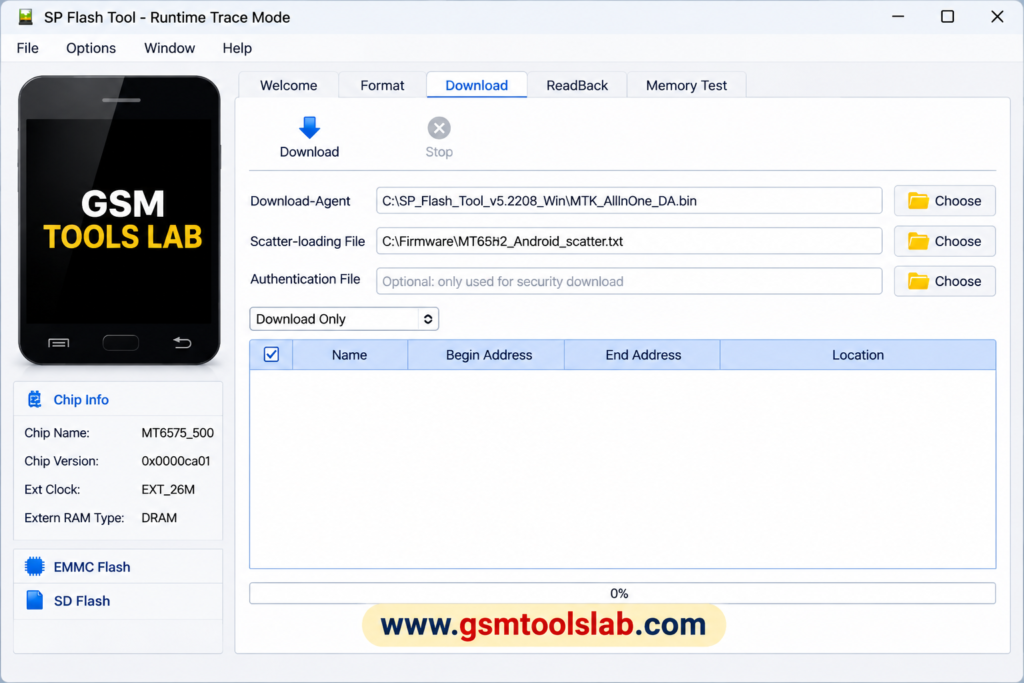
- Load the scatter or XML file and check the partition list.
- Pick Download Only first.
- Click Download, then connect the powered-off phone by USB.
- Wait for the green check mark. Do not unplug the cable.
- Disconnect and turn on the phone. The first start can take several minutes.
Common Problems and Fixes
- Phone not detected: Reinstall the VCOM driver, and try another cable or port.
- Flash fails after start: Firmware does not match the phone, or the file is damaged.
- Stuck at Download DA 100%: DA is the Download Agent, a helper file the tool sends to the phone. Check firmware and drivers.
Pros and Cons
| Pros | Cons |
|---|---|
| Free MediaTek-made tool | MediaTek only |
| Works on many budget and mid-range phones | Wrong firmware can brick a phone |
| Flash, format, readback, and memory test | Newer phones may need authentication |
| Windows and Linux builds | No official Mac build |
Conclusion
SP Flash Tool v6.2404 is a useful MediaTek firmware flashing utility for Android technicians and users repairing compatible smartphones and tablets. It supports Stock ROM installation, Scatter file loading, recovery flashing, partition selection, Readback, memory testing, and firmware upgrades on supported MTK devices. With Windows and Linux compatibility, it offers practical options for software recovery, bootloop repair, and failed update fixes. Before downloading, check your device model, firmware compatibility, USB VCOM drivers, and flash mode. Back up important data to avoid accidental loss.
Frequently Asked Questions
What is SP Flash Tool used for?
It is used to flash firmware, install recovery images, format partitions, and test memory on MediaTek phones and tablets.
Is SP Flash Tool free?
Yes, SP Flash Tool is generally safe when used with compatible firmware and proper flashing procedures.
Which version should I use, v5 or v6?
Use v6 if your firmware has flash.xml. Use v5 if it has a scatter .txt file.
Does SP Flash Tool work on Windows 11?
Yes, but Windows may block the MediaTek driver because of driver signature checks. Install the driver again if the phone is not detected.
Can SP Flash Tool fix a bricked phone?
It can fix many software bricks if you flash the right firmware. It cannot fix hardware damage, and some newer phones need authentication.
Does it erase my data?
It can. Format modes erase data, so back up first. Download Only is the safest choice.
Does SP Flash Tool work on Qualcomm or Samsung phones?
No. It only works on MediaTek chipsets. Use Odin for Samsung and other tools for Qualcomm.
Is SP Flash Tool v6.2228 for Linux Free?
Yes, SP Flash Tool v6.2228 for Linux is completely free to download and use. It is an open-source software tool developed by MediaTek Inc. The tool is available for anyone who wants to use it to flash firmware, custom ROMs, and recovery images onto MediaTek-based Android smartphones and tablets.

One Comment