HalabTech Tool v1.1 Free Download for Windows | MTK & Qualcomm (2027)

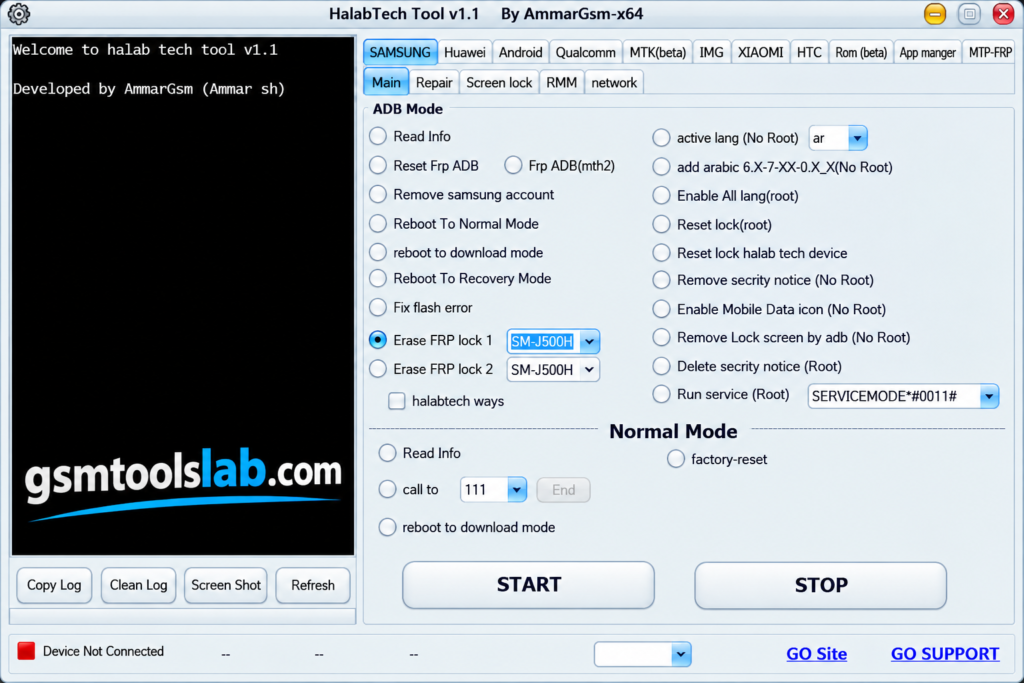
Android phones can get stuck on an FRP lock, a forgotten screen lock, or a boot problem. HalabTech Tool v1.1 is a Windows program that helps technicians fix these software issues on supported MediaTek (MTK) and Qualcomm phones. It covers firmware flashing, FRP reset, bootloader unlock and relock, userdata format, and Mi Account reset.
Also Read Trusted Tools: TFM Tool Pro V3.4.2 | MOTO FRP Tool
Key Takeaways
- Version: v1.1 (MTK & Qualcomm update), with a file size of about 274 MB.
- Platform: Windows PC, with MediaTek and Qualcomm chipset support.
- Main Jobs: FRP reset, firmware flashing, bootloader unlock and relock, userdata format, and Mi Account reset.
- Note: This is a commercial tool. Some jobs require a license or credits, and support varies by model.
What Is HalabTech Tool?
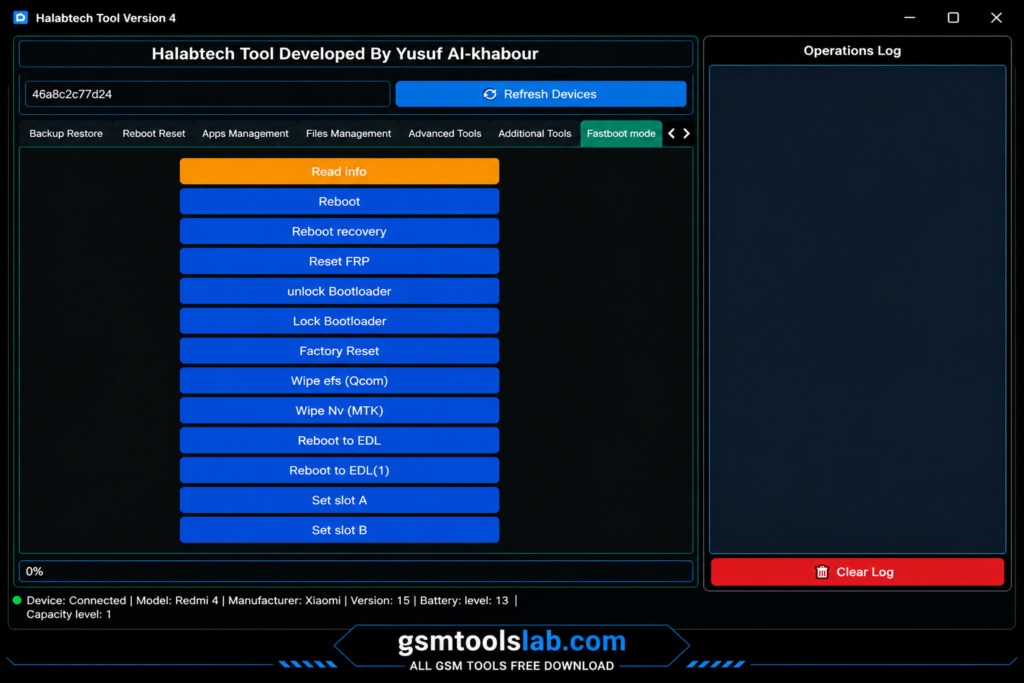
HalabTech Tool is Android servicing software made by the HalabTech team. It runs on Windows and talks to a phone through ADB, Fastboot, MTK, and Qualcomm Emergency Download Mode. Repair shops use it to fix software faults, restore phones after failed updates, and reset locks on devices they are allowed to service. The v1.1 update adds more Xiaomi, Tecno, and Meizu MTK models.
Key Features of HalabTech Tool
FRP Reset
This tool can reset FRP on supported Samsung, Xiaomi, Oppo, Vivo, Realme, Huawei, and Tecno phones. Use it only on phones you own or have permission to repair.
Firmware Flashing
Flashing helps with boot loops, failed updates, and damaged system files. Always choose a file that matches the exact model and region.
Bootloader Unlock and Relock
The v1.1 build can unlock and relock the bootloader on supported Xiaomi MTK phones. This is useful for advanced repair work.
Screen Lock and Userdata Format
A forgotten PIN, pattern, or password can be cleared on supported models with a userdata format. This erases all personal data, so back up first when the phone allows it.
Mi Account Reset, IMEI, and Device Info
The tool supports Mi Account reset for supported Xiaomi MTK phones. It also offers IMEI repair functions and can read device details. Some features use an online server for login and verification.
What’s New in HalabTech Tool v1.1?
- Xiaomi MTK chips: FRP reset, bootloader unlock and relock, userdata format, and Mi Account reset by USB, without Auth.
- Tecno MTK models: FRP reset and format by USB, including Camon 12, Camon 12 Pro, Camon 15 Air, Camon 15, and Camon 15 Pro.
- Meizu MTK models: FRP reset and format by USB.
Supported Brands and Modes
| Brand | Chipset | Common Functions |
|---|---|---|
| Samsung | MTK, Qualcomm | FRP reset, ADB tasks |
| Xiaomi | MTK, Qualcomm | FRP, bootloader, userdata format, Mi Account |
| Tecno and Infinix | MTK | FRP reset, format |
| Oppo, Realme, Vivo | MTK, Qualcomm | FRP reset, format, flashing |
| Huawei | Kirin, Qualcomm | FRP reset (may need a test point or loader) |
Support depends on the model and security patch, so check your phone before you start.
Download Information
| Detail | Information |
|---|---|
| Tool Name | HalabTech |
| Version | v1.1 (MTK & Qualcomm update) |
| File Size | About 274 MB |
| Platform | Windows |
| Developer | HalabTech |
Here is the Official download link 👇
System Requirements
| Requirement | Details |
|---|---|
| Operating System | Windows 7, 8, 10, or 11 |
| RAM | 4 GB or more recommended |
| Storage | At least 1 GB of free space |
| USB | Good data cable and a working port |
| Drivers | ADB, Fastboot, MTK, and Qualcomm drivers |
How to Download and Install HalabTech Tool v1.1
- Open the official Tool from the download button or from the HalabTech Support download page
- Download the v1.1 MTK & Qualcomm package.
- Extract the file with WinRAR or 7-Zip.
- Install the USB drivers for your phone.
- Run the tool as administrator.
- Connect the phone in the right mode, such as Preloader, EDL, Download Mode, or Fastboot.
- Pick the brand tab and function, read the prompt, and start.
- Keep the cable connected until the job ends.
Pros and Cons
| Pros | Cons |
|---|---|
| Supports MTK and Qualcomm chipsets | Not every model or firmware is supported |
| Covers FRP, flashing, and bootloader jobs | Some jobs need a license or credits |
| Works with many popular brands | Needs correct drivers and the right mode |
| Simple dashboard for daily repair work | Formatting and flashing can erase data |
Conclusion
HalabTech Tool v1.1 brings FRP reset, flashing, bootloader control, and Mi Account reset into one Windows program for MediaTek and Qualcomm phones. It covers firmware flashing, FRP reset, bootloader unlock and relock, userdata format, and Mi Account reset. Check your model, install the right drivers, and back up data before every job.
HalabTech Tool FAQs
What is HalabTech Tool used for?
It is used to repair Android software problems on a Windows PC. Common jobs are FRP reset, firmware flashing, bootloader unlock, userdata format, and Mi Account reset.
Is HalabTech Tool free?
No. It is a commercial tool. Some functions need a paid license or credits, and prices can change, so check the official site first.
Is HalabTech Tool safe to download?
It is safer when you download it from the official HalabTech Support page.
Which brands and chipsets does HalabTech Tool support?
It supports MediaTek and Qualcomm chipsets. Brands include Samsung, Xiaomi, Huawei, Oppo, Vivo, Realme, Tecno, and Infinix. Support varies by model.
Can HalabTech Tool remove FRP?
Yes, on supported models. FRP reset works in different modes, depending on the phone. Use it only on phones you own or are allowed to service.
What is new in version 1.1?
The update adds Xiaomi MTK functions such as FRP reset, bootloader unlock and relock, userdata format, and Mi Account reset. It also adds more Tecno and Meizu MTK models.
Why does HalabTech Tool not detect my phone?
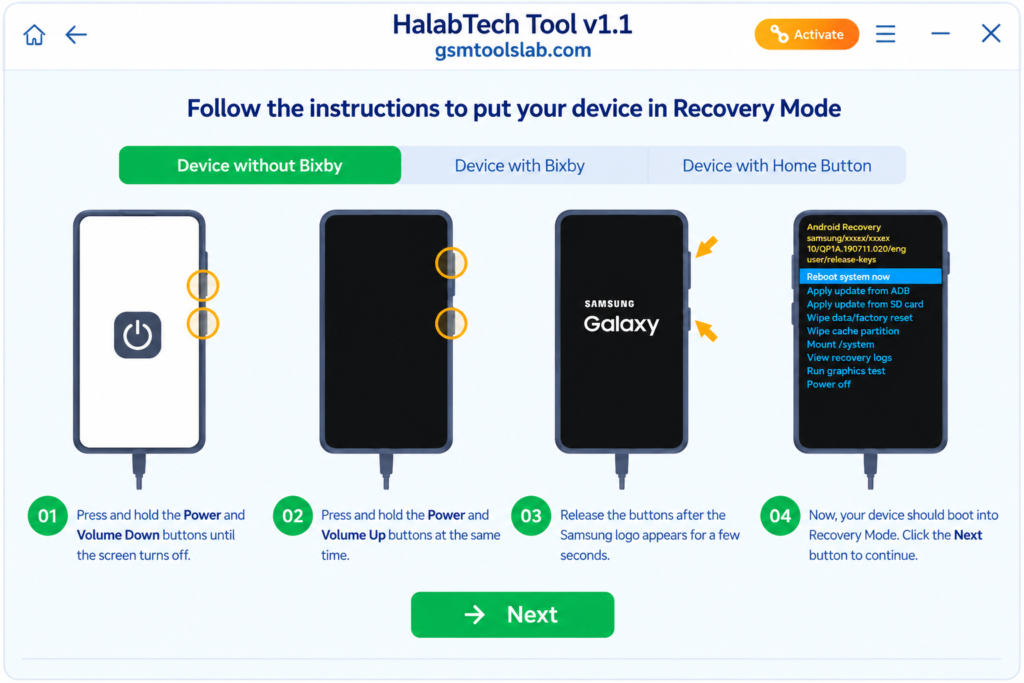
Most detection problems come from missing drivers, a weak cable, or the wrong mode. Reinstall the drivers, try another USB port, and confirm the phone is in Preloader, EDL, or Download Mode.
One Comment