Alriqi Soft Tools V2 Download Latest Setup | Unlock & FRP Tool

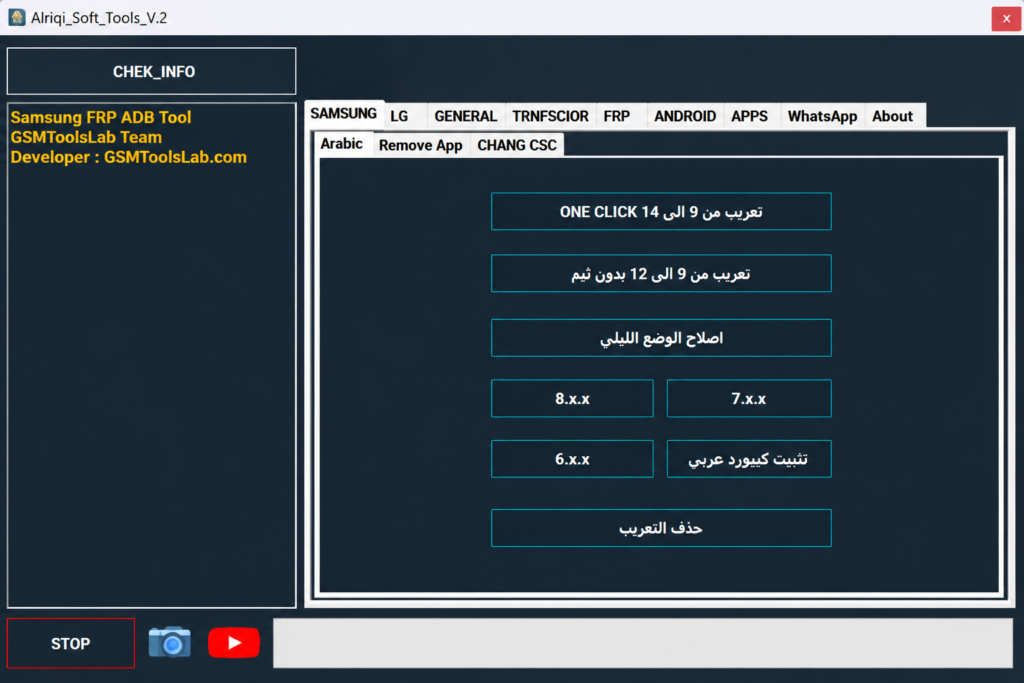
Is your Samsung or LG phone stuck on an FRP lock, a lock screen, or unwanted carrier apps? Alriqi Soft Tools is a free Windows program that brings FRP options, ADB commands, Arabic keyboard setup, CSC settings, and app control into one window. Alriqi Soft Tools provides the best solution for these problems. It works for Samsung FRP removal, LG ADB commands, one-click actions for Android versions 6 to 12, app removal for Verizon, Sprint, and AT&T devices, Arabic keyboard installation, and VoLTE options for Samsung.
Also Read Trusted Tools: Modem META Tool v10.2340.0.05.zip Free IMEI ↗️
Key Takeaways
- Tool: V2, a Windows servicing utility.
- Main Phones: Samsung and LG, with some options for Xiaomi and Chinese phones.
- Main jobs: FRP options, ADB commands, Arabic keyboard, CSC, VoLTE, and app control
- Limit: Results change with phone model, Android version, and security patch.
- Needs: Windows 7 to 11 and the right USB and ADB drivers.
What Is Alriqi Soft Tools?
Alriqi Soft Tools is a Windows-based Android servicing app. Technicians use it to do common software jobs on supported phones from one screen. It mainly targets Samsung and LG devices.
FRP means Factory Reset Protection. Google added it in Android 5.1 in 2015. After a reset, the phone asks for the last Google account. This tool offers FRP options for supported phones, but the old account is still the safest way in.
Features of Alriqi Soft Tools
Samsung FRP and Servicing
It has FRP options and software settings for supported Samsung phones. It can also remove carrier apps from Verizon, Sprint, and AT&T versions.
One-Click Samsung Support
Some Samsung tasks run in one click on supported phones with Android 9 to 12.
Arabic Keyboard and Language
You can install an Arabic keyboard and change the language on supported phones. This is useful for users in Arabic-speaking regions.
LG ADB Tools
It gives ADB options for supported LG phones. LG stopped making phones in 2021, so these options help owners of older LG models.
CSC and SIM Functions
It has Samsung CSC and SIM settings. These depend on your model, firmware, carrier, and region.
Diag and Network Options
You get Diag Mode, APN settings, and IMS or VoLTE controls on supported phones.
Google Account Removal and Lock Screen Tools
It can remove a Google account through ADB and run supported format or lock screen options. Formatting erases your data.
Application Manager
You can view, disable, stop, and delete apps on supported devices.
Alriqi Soft Tools Download Information
- Tool Name: Alriqi Soft Tools
- Version: V2
- Requirements: Samsung, LG, ADB, and USB drivers
- File Password: 🗝 None
- File Size: 383.8 MB
Here is the Official download link 👇
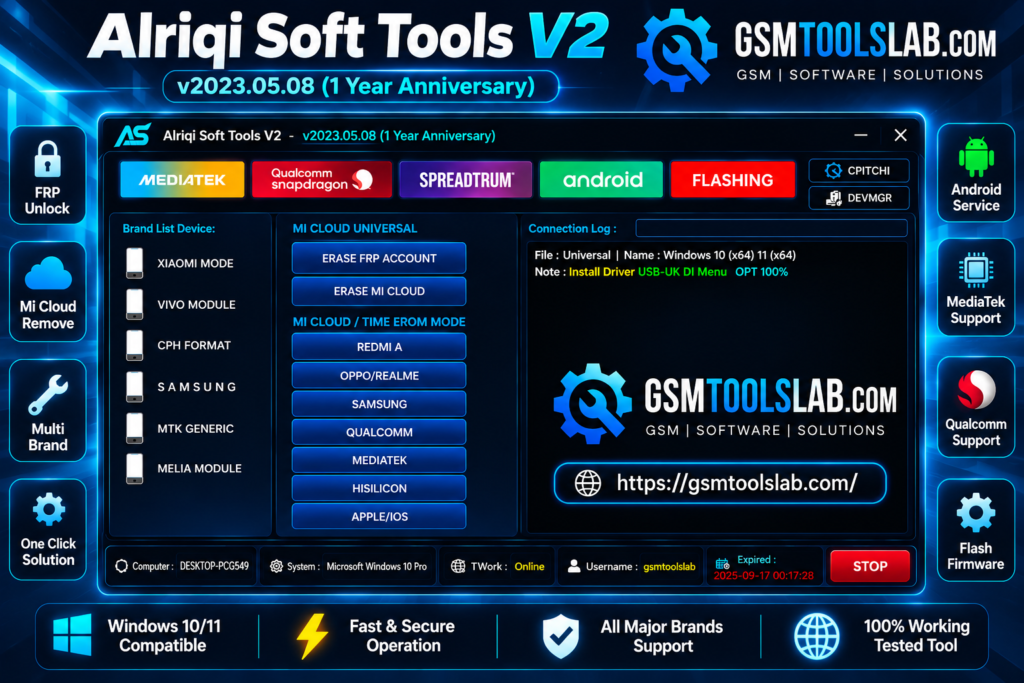
What’s New in Alriqi Soft Tools V2?
- Better Samsung FRP options
- More ADB functions
- Improved Arabic language and keyboard tools
- Added CSC, SIM, and APN options
- Better LG ADB functions
System Requirements
| Requirement | Details |
| Operating System | Windows 7, 8, 10, or 11 |
| Processor | Intel or AMD |
| RAM | 2 GB or more |
| Storage | At least 500 MB free |
| USB | A good USB cable and port |
| Drivers | Samsung, LG, ADB, and USB drivers |
How to Download and Use Alriqi Soft Tools
- Download the file from gsmtoolslab or another trusted source and scan it with antivirus.
- Extract the RAR or ZIP file to a simple folder.
- Install the Samsung, LG, ADB, and USB drivers if needed.
- Open the tool as administrator.
- Connect your phone to the PC.
- Turn on the mode your phone needs, such as ADB.
- Pick the Samsung or LG section.
- Choose the function you need and follow the on-screen steps.
Pros and Cons
| Pros | Cons |
| Many servicing options in one tool | Works only on supported models |
| Samsung and LG sections | Some options depend on Android version |
| ADB and app control tools | Right drivers are needed |
| Arabic and language tools | Advanced options need technical skill |
| CSC, SIM, and network options | Formatting can erase your data |
Is Alriqi Soft Tools Safe and Legal?
Servicing tools often trigger antivirus warnings. Scan every file, and download only from a trusted source. Also keep a backup of your phone data before any format or reset step.
Use FRP options only on your own phone or with the owner’s permission. Bypassing FRP on a stolen phone is illegal in many countries.
Conclusion
Alriqi Soft Tools V2 is a useful Windows tool for supported Samsung and LG phones. It combines FRP, ADB, CSC, Arabic language, and app control in one place. Check your model first, install the right drivers, and back up your data before you start.
Alriqi Soft Tools FAQs
Does Alriqi Soft Tools support Samsung FRP?
Yes, on selected Samsung phones. Support depends on the model, Android version, and security patch.
Does Alriqi Soft Tools support LG phones?
Yes. It has ADB-based options for selected LG models.
Does it support the Arabic language?
Yes. It can install an Arabic keyboard and change language settings on supported Samsung phones.
Does Alriqi Soft Tools need USB drivers?
Yes. Install the correct Samsung, LG, ADB, or USB drivers before connecting the phone.
Is Alriqi Soft Tools free?
Many sites offer it as a free download. So check first, then download it.
Which Android versions does it support?
It mainly covers Android 6 to 12, and one-click Samsung options work on Android 9 to 12. Newer security patches may block some functions.
What is CSC in Samsung phones?
CSC is the Consumer Software Customization code. It sets carrier and region settings on Samsung phones.
Will it work on every Android phone?
No. It is built mainly for Samsung and LG. Other brands have only a few options.
Is it safe to download?
It can be safe if you download it from a trusted source, scan the file, and use it on your own phone.
One Comment