TTA EDL Tool V1.0.4 Free Download Driver for Windows Updated Version

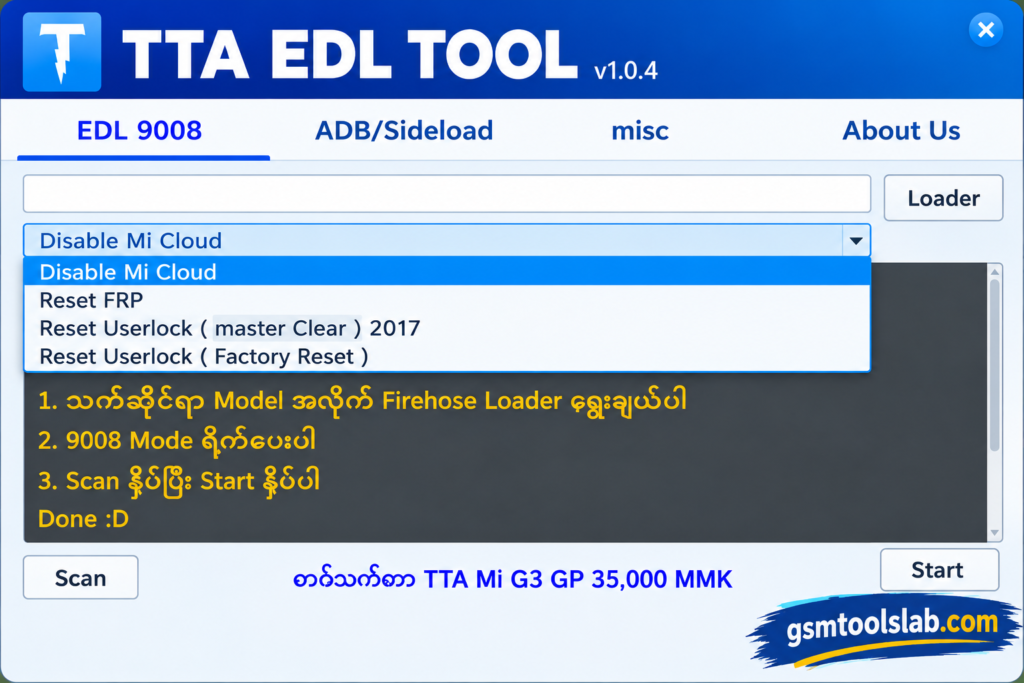
Is your Xiaomi phone stuck on a Mi Account, FRP, or screen lock? TTA EDL Tool is a free Windows program for Xiaomi and Redmi phones with Qualcomm chips. It works through EDL 9008, ADB, Sideload, and Fastboot. This tool allows you to select the required Loader or Firehose file, reset User Lock through Master Clear or Factory Reset, manage Mi Cloud on supported MIUI 13 devices, perform FRP-related operations, and use ADB/Sideload commands for device management.
Also Read Trusted Tools: Huawei FRP Tool V1.0 Free Download ↗️
Key Takeaways
- Tool: V1.0.4, a free Windows utility of about 50 MB.
- Modes: EDL 9008, ADB, Sideload, and Fastboot.
- Phones: Mainly Xiaomi and Redmi devices with Qualcomm chipsets.
- Needs: Qualcomm 9008 and ADB drivers, plus the right Firehose loader.
- Limit: Results change with phone model, chipset, and software version.
What Is TTA EDL Tool?
EDL means Emergency Download Mode. It is a low-level mode built into Qualcomm chips. When a phone is in this mode, the PC sees it as “Qualcomm HS-USB QDLoader 9008.” The PC then sends a small file called a Firehose loader, and the phone can accept service commands.
It puts these steps into one simple window. It can help with FRP reset, user lock reset, and Mi Account or Mi Cloud servicing on supported phones. Technicians and phone owners in the USA, UK, Germany, Canada, Pakistan, India, and Indonesia use tools like this to repair Xiaomi phones.
Features of TTA EDL Tool
EDL 9008 and Firehose Loader
You can pick the Firehose loader by hand. This is the core feature for Qualcomm Xiaomi phones in EDL mode. A wrong loader will fail, so match it to your model first.
FRP Reset
This option helps when the phone asks for a Google account after a reset. It works on supported models only.
User Lock Reset
It offers Master Clear and Factory Reset options for a forgotten PIN, password, or pattern. Some operations can erase data.
Mi Cloud and Mi Account Options
You get Mi Cloud options for MIUI 13 and TWRP setups. There are also options for selected MIUI 13/14 and HyperOS phones.
ADB and Sideload
This part can check the phone version, disable updates, and format data on supported devices.
Fastboot Status Check and Flash TWRP
It checks if your Xiaomi phone is detected in Fastboot mode. You can also flash TWRP recovery from the Fastboot section.
Fastboot Old Model
This gives Mi Account options for some older Xiaomi models. That’s why it’s very useful & easily fix the old Xiaomi models also.
TTA EDL Tool V1.0.4 Download Information
- Tool Name: TTA EDL Tool
- Version: V1.0.4
- Requirements: Qualcomm 9008 and ADB drivers
- File Password: 🗝 None
- File Size: About 50 MB
Here is the Official download link 👇
What’s New in V1.0.4?
- EDL Mi Account disable option
- Fix for loader detection problems
- ADB disable and update improvements
- Mi Account support for selected MIUI 13/14 and HyperOS phones
System Requirements
| Requirement | Details |
| Operating System | Windows 7, 8, 10, or 11 |
| RAM | 4 GB recommended |
| USB | A good-quality USB cable |
| Drivers | Qualcomm 9008 and ADB drivers |
| Loader | Firehose loader for your phone model |
How to Download and Use TTA EDL Tool
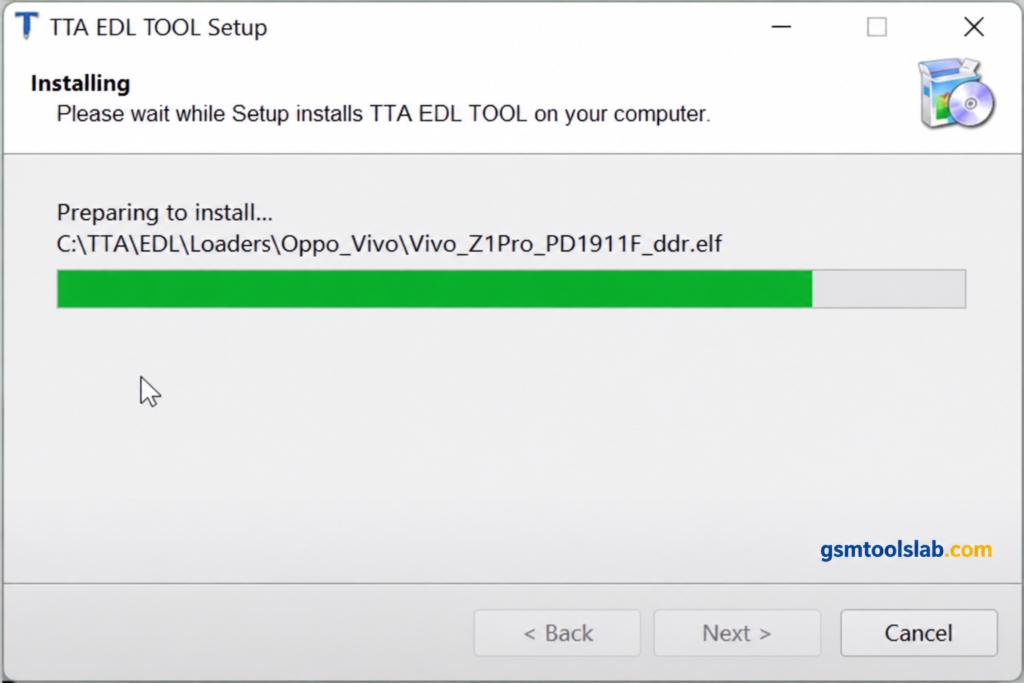
- Download the file from gsmtoolslab or a trusted source and scan it with antivirus.
- Extract the ZIP file to a simple folder, such as the C drive.
- Install the Qualcomm 9008 and ADB drivers if they are not installed.
- Open the tool. Run it as administrator if Windows asks.
- Connect your supported Xiaomi phone with a USB cable in the needed mode.
- Choose the option you need, such as FRP Reset or User Lock Reset.
- For EDL tasks, select the correct Firehose loader.
- Follow the on-screen steps and wait until the tool says it is done.
Pros and Cons
| Pros | Cons |
| Simple and easy interface | Works only on supported devices |
| EDL 9008, ADB, Sideload, and Fastboot in one tool | EDL tasks need the correct Firehose loader |
| Manual loader selection | Results change with model and software version |
| Many Xiaomi servicing options | Mainly for Xiaomi Qualcomm phones |
| Free, with no paid activation | Needs a Windows PC |
Is TTA EDL Tool Safe and Legal?
Servicing tools often trigger antivirus warnings. Always scan the file on VirusTotal before you open it, and download only from a source you trust.
Use the tool only on your own phone or with the owner’s written permission. Removing a Mi Account or FRP lock from a stolen phone is illegal in many countries.
What to Do If Your Phone Is Not Detected
- Reinstall the Qualcomm 9008 and ADB drivers.
- Try another USB cable and a different USB port.
- Check that the phone is in the right mode.
- Make sure the Firehose loader matches your model.
Conclusion
TTA EDL Tool V1.0.4 is a free and simple Windows tool for Xiaomi phones with Qualcomm chips. It brings EDL 9008, ADB, Sideload, and Fastboot into one place. Check your phone’s support first, install the right drivers, and use the correct loader.
TTA EDL Tool FAQs
What is TTA EDL Tool used for?
It services supported Xiaomi phones. It helps with FRP reset, user lock reset, and Mi Account or Mi Cloud tasks.
Is TTA EDL Tool free?
Yes, V1.0.4 is offered as a free download. You still need drivers, compatible files, and a supported phone.
Which phones does TTA EDL Tool support?
It mainly supports Xiaomi and Redmi phones with Qualcomm chipsets. Support depends on model and software version.
Does it support EDL 9008 mode?
Yes. You choose the Firehose loader by hand for compatible phones.
Does it need a Firehose loader?
EDL tasks usually need a loader that matches your phone. Without it, the task can fail.
Why is my Xiaomi phone not detected by the TTA EDL Tool?
The most common causes are missing drivers, a bad cable, the wrong phone mode, or the wrong loader. Check each one.
Can TTA EDL Tool reset FRP?
It has FRP options for supported Xiaomi phones. Results depend on the model and security version.
Does it work with MIUI 13 and HyperOS?
It has options for selected MIUI 13/14 and HyperOS phones. It does not work on every phone.
Will I lose my data when I use it?
Some operations, such as a factory reset or formatting data, erase your data. Back up your phone first if you can.
Is TTA EDL Tool safe to download?
It can be safe if you download it from a trusted source, scan the file, and use it on your own phone.
One Comment