ASUS Flash Tool 3.2.10 Download for Windows (Updated version 2027)

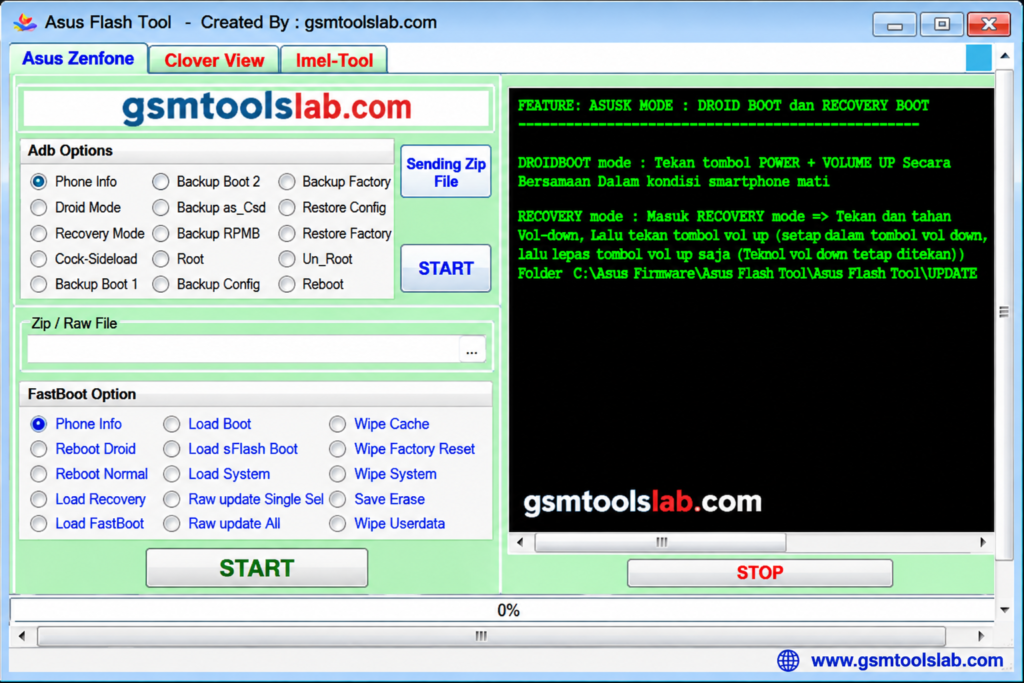
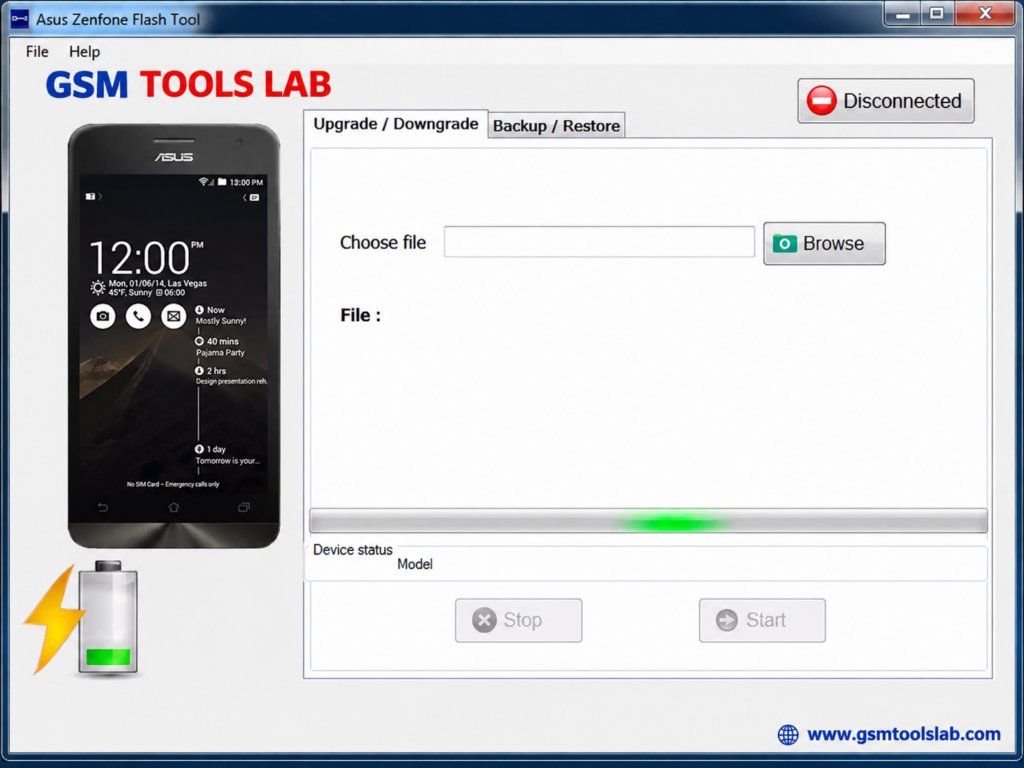
An ASUS phone that is stuck in a boot loop, shows a failed update, or will not start after a bad flash can stop a repair job. ASUS Flash Tool is a Windows program that writes stock firmware to ASUS phones through Fastboot mode. It is mostly used on ZenFone models, and also for ROG Phone.
Also read Trusted Tools: SP Flash Tool v6.2404 Free Download for Windows | Fastboot Flash Tool V1.0.1.2 Free Download
Key Takeaways
- Version: 3.2.10 is the updated version. Older builds, such as v2.0.1 and v1.0.0.45, also exist.
- Platform: Windows PC, for ASUS ZenFone and selected ASUS phones.
- Main Jobs: Flashing stock firmware, fixing boot loops, and upgrading or downgrading Android.
- Note: Flashing wipes user data. Back up your device before starting.
What Is ASUS Flash Tool?
ASUS Flash Tool is a Windows application for installing official firmware on ASUS Android phones. Firmware is the software that runs the phone. The tool talks to the phone in Fastboot mode, a special start-up screen used for repair. It is used for software problems such as boot loops, failed updates, and damaged firmware. It does not repair hardware faults. There is also a separate tool called ASUS ZenFone Flash Tool, which mostly covers ZenFone phones. Use these tools only on phones you own or are allowed to repair.
Key Features of ASUS Flash Tool
Stock Firmware Flashing
ASUS Tool installs a firmware file that matches your phone’s exact model and variant. Wrong firmware can cause new problems.
Boot Image Flashing
This tool can flash a boot image through Fastboot to repair start-up faults.
Update and Downgrade
You can move to a newer or an older Android version if the firmware file allows it. A downgrade may need a data wipe.
Custom ROM Support
The tool supports certain custom firmware installation workflows. Always verify ROM compatibility before flashing.
USB Driver Support
ASUS USB and ADB drivers help Windows see the phone. Without them, the tool cannot find your device.
Backup and Restore
The tool supports app backup and restore, helping users save applications and recover them when needed.
What’s New in the Latest Version?
- Better flashing for supported ASUS models.
- Easier interface for beginners and technicians.
- USB driver support for device detection.
- Support for new ASUS phones, as claimed on some pages.
ASUS Flash Tool Supported Devices and Modes
| Group | Details |
|---|---|
| Phones | ASUS ZenFone models, with some ROG Phone models |
| Mode | Fastboot mode (ASUS Bootloader Interface in Device Manager) |
| Firmware | Official stock firmware, often a RAW image, matched to your model |
| Connection | USB cable; a USB 2.0 port works best |
Download Information
ASUS Flash Tool Download Information
- Tool Name: ASUS Flash Tool
- Version: v3.2.10
- File Type: ZIP or RAR
- File Size: 107.7 MB
Here is the Official download link 👇
ASUS Flash Tool System Requirements
| Requirement | Details |
|---|---|
| Operating System | Windows 7, 8, 10, or 11 |
| RAM | 2 GB minimum |
| Storage | 100 to 200 MB free, plus room for firmware |
| Drivers | ASUS USB, ADB, and Fastboot drivers |
| Other | USB cable and a phone charged to 50% or more |
How to Download and Install the Tool
- Download the ASUS Flash Tool package from gsmtoolslab or from a trusted source.
- Extract the archive into its own folder.
- Scan the files with antivirus before you open them.
- Install the ASUS USB, ADB, and Fastboot drivers.
- Run the setup or the tool as administrator.
- Download the stock firmware for your exact model.
- Turn the phone off, then hold Volume Up and Power to enter Fastboot mode. Keys can differ by model.
- Connect the phone, load the firmware file, and click Start.
- Keep the cable connected until the phone restarts.
If the phone is not detected, check Device Manager for a yellow warning icon, then try another cable or USB 2.0 port.
Pros and Cons
| Pros | Cons |
|---|---|
| Simple Windows screen | Works only on selected ASUS phones |
| Flashes stock firmware | Flashing erases user data |
| Can help with boot loops | Wrong firmware can cause damage |
| Needs no box or dongle | Version and source info is unclear |
Conclusion
ASUS Flash Tool 3.2.10 is a Windows firmware flashing utility designed for ASUS ZenFone and selected ROG Phone models. It helps users install stock firmware, flash boot images, fix software-related boot loops, and update or downgrade Android through Fastboot mode. Before using this ASUS flashing tool, install the correct ASUS USB and ADB drivers, download firmware for your exact device model, and check compatibility. Always back up important data because firmware flashing can erase personal files and settings.
FAQ’s
What is ASUS Flash Tool used for?
It is used to flash stock firmware on ASUS phones. Common jobs are fixing boot loops, repairing failed updates, and upgrading or downgrading Android.
Are ASUS Flash Tool and ASUS ZenFone Flash Tool different?
Yes. The ZenFone tool mostly covers ZenFone phones. The ASUS Flash Tool covers selected ZenFone models and some other ASUS phones.
Will ASUS Flash Tool erase my phone data?
Yes, flashing can erase your data. Back up first.
Why is my phone not detected?
Install the ASUS USB driver, try another cable or USB 2.0 port, and put the phone in Fastboot mode. Check Device Manager for errors.
Can it fix a bricked ZenFone?
It can help with a software brick if the phone enters Fastboot mode and you use matching firmware. It cannot repair hardware damage.
Is ASUS EZ Flash the same thing?
No. EZ Flash is a BIOS update tool for ASUS motherboards, not phones.