TFT MTK Module Tool V7.0.0 Download Latest Version Setup (100% Activated)

Is your MediaTek phone stuck on an FRP lock, a forgotten screen lock, a Mi account lock, or a bootloop? TFT MTK Module Tool is a Windows program for MTK phones and tablets. It can flash scatter firmware, remove Vivo demo mode, unlock the bootloader, and back up NVRAM. It works through Flash, MTP, and USB VCOM modes. In this GsmToolsLab article, you will learn its features, requirements, steps, and limits. Please use it only on a phone that you own.
Also Read Trusted Tools: Alriqi Soft Tools V2 Free Download
Key Takeaways
- Tool: TFT MTK Module Tool V7.0.0, a free Windows utility of about 72 MB.
- Chipset: MediaTek (MTK) phones and tablets, Android 5.0 to 12.
- Main jobs: Scatter flashing, FRP removal, screen lock reset, bootloader unlock, Mi account services, and backups.
- Limit: Results change with phone model and security version.
- Needs: Windows 7 to 11, MediaTek USB drivers, and WinRAR or 7-Zip.
What Is the TFT MTK Module Tool?
TFT MTK Module Tool is Windows software for Android phones and tablets with MediaTek chips. It puts flashing, unlocking, reset, and backup jobs into one simple window. Technicians use it for FRP, screen locks, stuck logos, and Mi account problems.
FRP means Factory Reset Protection. Google added it in Android 5.1 in 2015. After a reset, the phone asks for the last Google account. The tool offers FRP options for supported phones, but the old account is still the safest way in.
Features of TFT MTK Module Tool
Scatter Firmware Flashing
It flashes scatter-based stock firmware on MTK phones. This helps fix bootloops, stuck logos, and failed updates.
FRP Removal
It has several FRP options, such as Erase FRP and Erase FRP New. They work on supported phones only.
Screen Lock and Factory Reset
It can reset a PIN, pattern, or password lock. It can also restore a phone to factory settings. Both can erase data.
Bootloader Unlock and Relock
You can unlock or relock the bootloader from the same screen.
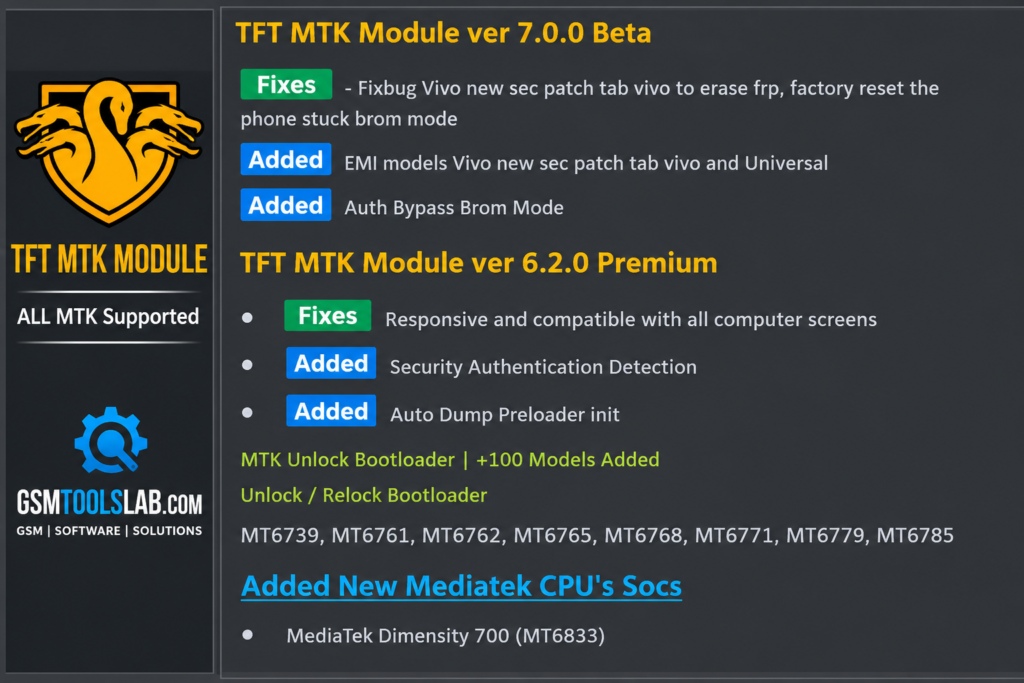
Auth Bypass
On compatible phones in BROM mode, it can bypass Auth. BROM is a low-level MediaTek mode that starts before Android.
Mi Account Services
It offers Erase MiCloud and Reset MiCloud options for supported Xiaomi phones.
Vivo Demo Mode Removal
It removes demo mode on supported Vivo phones.
Read Info, Backup, and Restore
Read Info shows basic phone details. Backup creates NVRAM and full flash backups that you can restore later.
Save Format
It formats a phone and keeps some data, where the operation allows.
TFT MTK Module Tool V7.0.0 Download Information
- Tool Name: TFT MTK Module Tool
- Version: V7.0.0
- Requirements: MediaTek USB drivers
- File Password: 🗝 None
- File Size: 72 MB
Here is the Official download link 👇
System Requirements
| Requirement | Details |
| Operating System | Windows 7, 8, 10, or 11 |
| RAM | 4 GB or more |
| Storage | 2 GB free |
| USB | A good USB 2.0 or 3.0 cable |
| Drivers | MediaTek USB drivers |
| Extractor | WinRAR or 7-Zip |
How to Download and Use TFT MTK Module Tool
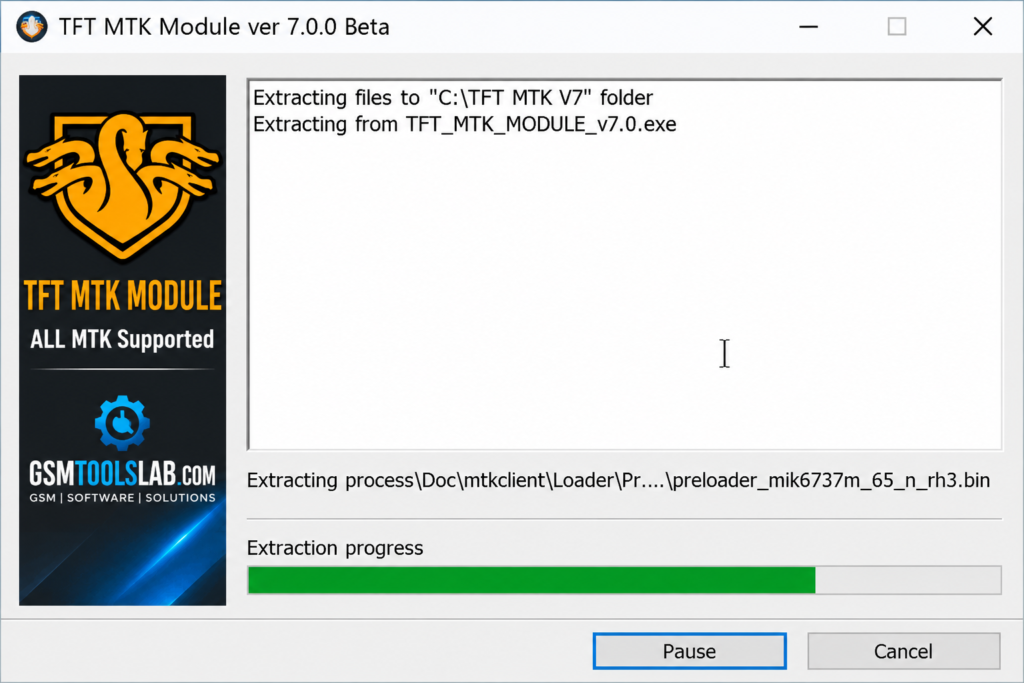
- Download the ZIP or RAR file from a trusted source and scan it, also available on gsmtooslab.com.
- Extract it with WinRAR or 7-Zip.
- Install the MediaTek USB drivers.
- Run the tool and allow Windows permissions.
- Connect your phone and choose the MTK mode.
- Click Read Info to check the phone.
- Pick a section and the right operation.
- Back up first, then start and keep the USB cable connected.
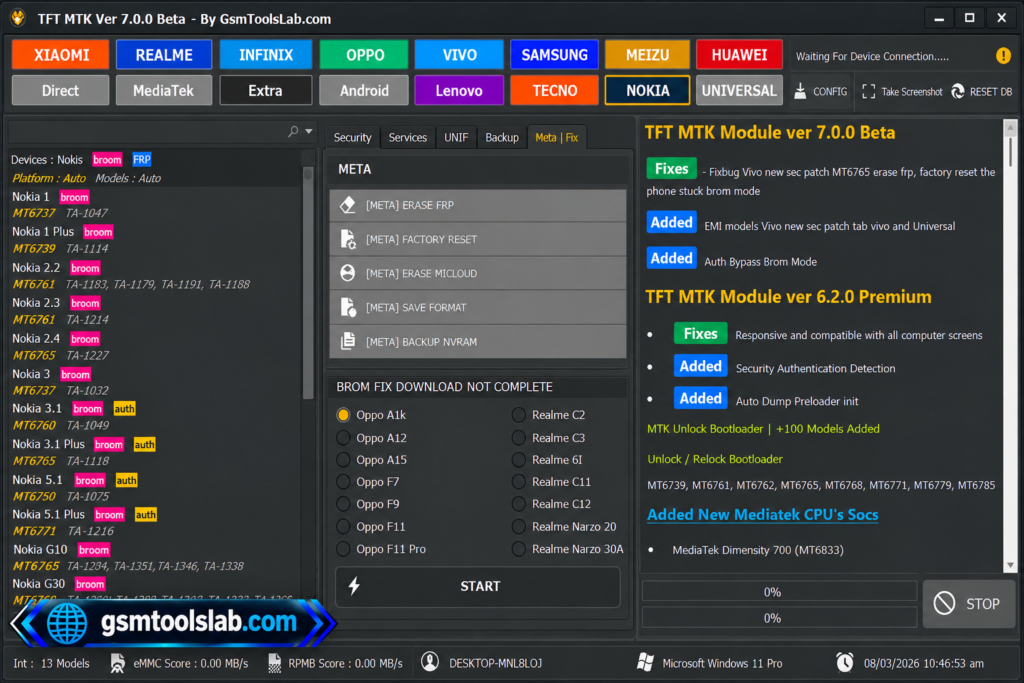
Tool Sections and Modes
| Section | Use |
| MediaTek and Universal | Basic MTK servicing |
| Security | FRP, Auth, and bootloader tasks |
| Unif | Unlock and format options |
| Backup | NVRAM and full flash backup |
| Meta and Fix | Repair options |
Supported Brands
Xiaomi, Realme, Infinix, OPPO, Vivo, Samsung, Meizu, Huawei, Lenovo, Tecno, and Nokia. Support depends on the exact model and chipset.
Pros and Cons
| Pros | Cons |
|---|---|
| Built for MediaTek servicing | Works only on MTK chips |
| Flashing, FRP, and bootloader tools | Some tasks erase user data |
| NVRAM and full flash backup | Model and security version matter |
| Mi account and Vivo options | Needs the right drivers and mode |
| Many brands in one tool | Needs technical skill |
Common Errors and Fixes
- Phone not detected: Reinstall the MediaTek USB drivers and try another cable.
- Stuck while connecting: Check that the phone is in the right mode.
- Flash fails: Make sure the scatter file matches your model.
Is TFT MTK Module Tool Safe and Legal?
Servicing tools often trigger antivirus warnings. Scan every file and use only a trusted source. Also back up your phone before any format or reset step.
Use it only on your own phone or with the owner’s permission. Bypassing FRP or a Mi account on a stolen phone is illegal in many countries.
Conclusion
TFT MTK Module Tool V7.0.0 is a handy Windows tool for MediaTek phones. It covers flashing, FRP, bootloader, Mi account, and backup jobs in one place. Check your model first, install the right drivers, and back up before you start.
TFT MTK Module Tool FAQs
What is TFT MTK Module Tool used for?
It is used to service MediaTek phones. It flashes firmware, removes FRP and screen locks, and handles bootloader and Mi account tasks.
Which brands does TFT MTK Module Tool support?
It lists Xiaomi, Realme, Infinix, OPPO, Vivo, Samsung, Meizu, Huawei, Lenovo, Tecno, and Nokia. Only MediaTek models work.
Is TFT MTK Module Tool free?
Many sites offer it as a free download. Check the source before you install it.
Does it support Qualcomm or Unisoc phones?
No. It is built for MediaTek chips. Qualcomm phones need EDL-based tools.
Can TFT MTK Module Tool remove FRP?
Yes, on supported phones. It has Erase FRP and Erase FRP New options.
Does it support Mi account and MiCloud?
Yes. It has Erase MiCloud and Reset MiCloud for supported Xiaomi phones.
Can it back up the full flash?
Yes. The Backup section can save NVRAM and a full flash backup.
Which Android versions does it support?
It supports Android 5.0 to 12 on MediaTek phones.
What is BROM mode?
BROM is a low-level MediaTek mode. The PC uses it to talk to the phone before Android loads.
Will I lose data when I use it?
Some tasks, such as factory reset and formatting, erase data. Back up your phone first.
One Comment