TSM Tool Pro V2.4.1 Download 2027 | Android Repair & Unlock Solution

Is your Android phone stuck on Google account verification, a forgotten screen lock, an MDM lock, or a boot loop? TSM Tool Pro is a Windows program that fixes these problems in one window. It handles FRP removal, screen lock reset, firmware flashing, IMEI repair, and KG and MDM removal. It works through ADB, Fastboot, EDL, and Download Mode.
Also Read Trusted Tools: ClanCells Simple Tools V6 Free Download for Windows [2026]
Key Takeaways
- Tool: V2.4.1, a Windows servicing utility of about 200 MB.
- Main Jobs: FRP, screen lock, firmware flashing, IMEI repair, and KG and MDM removal.
- Modes: ADB, Fastboot, EDL, Download Mode, and Sideload.
- Chipsets: Qualcomm, MediaTek, and Unisoc.
- Limit: Results vary by model, Android version, and security patch.
What Is TSM Tool Pro?
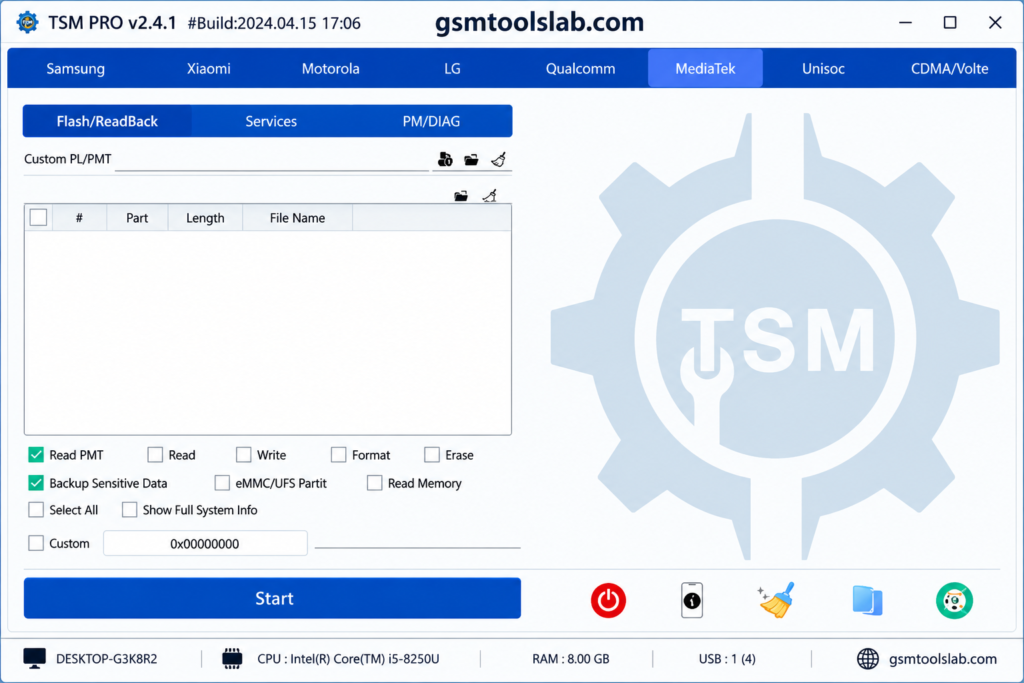
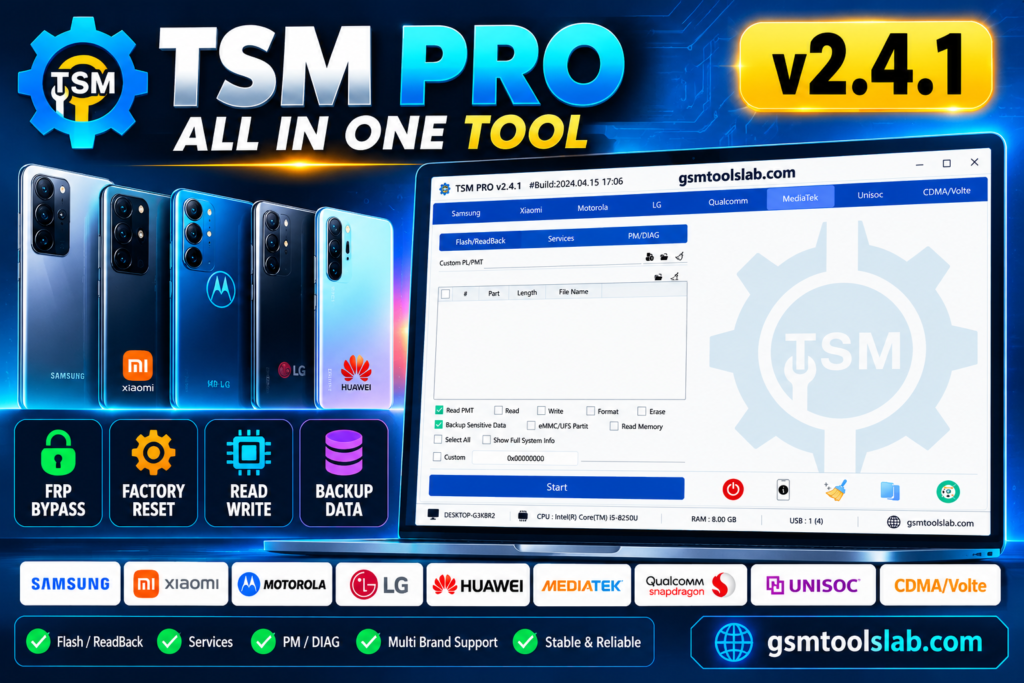
TSM Tool Pro is Windows software for Android repair and servicing. It works through ADB, Fastboot, Download Mode, EDL, and chipset-specific modes. Repair shops in the US, UK, Canada, Pakistan, India, and Nigeria use tools like this to save time. TSM Tool provides a reliable solution for mobile technicians who need fast, efficient, and stable device servicing by supporting popular Android brands.
Key Features of TSM Tool Pro V2.4.1
Complete System Repair
It covers FRP bypass, screen unlock, firmware flashing, IMEI repair, bootloader jobs, and factory reset.
ADB and Fastboot Support
It connects to phones in ADB, Fastboot, Download Mode, EDL, and Unisoc (SPD) service mode.
Screen Lock Removal
It can remove PIN, password, and pattern locks on supported phones.
FRP Bypass
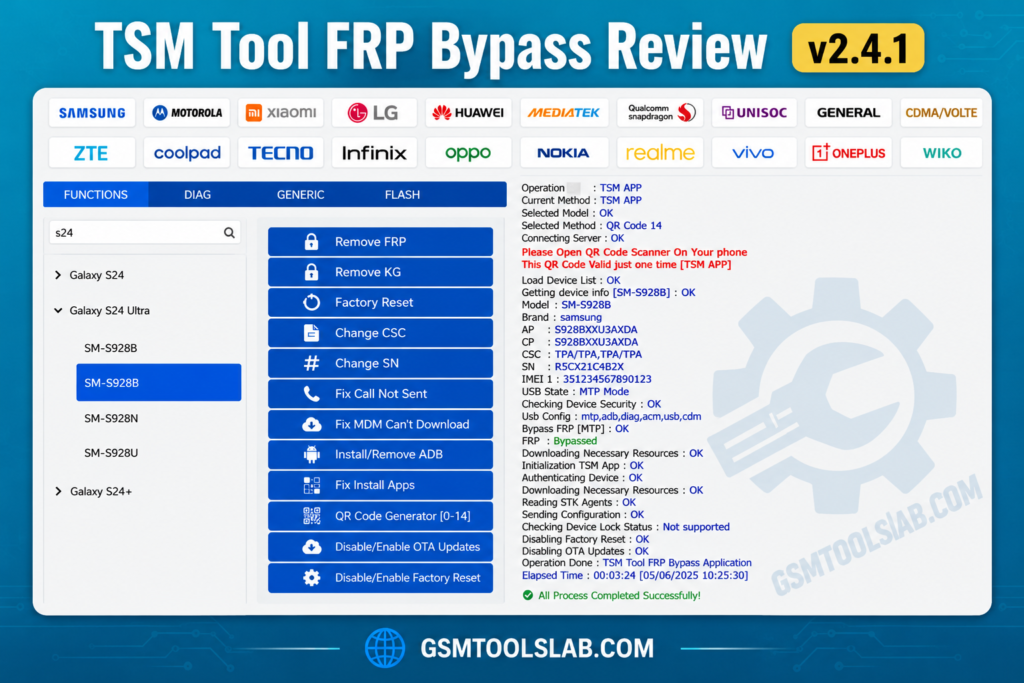
It removes Google account verification after a reset on Samsung, Xiaomi, Redmi, POCO, Motorola, Oppo, Vivo, and Huawei phones. It also has Xiaomi FRP removal through Sideload.
KG and MDM Removal
It can remove Samsung Knox Guard and MDM locks on selected models. It supports EDL, ADB, and QR code methods.
Firmware Flashing
It can read, write, and flash firmware. This helps with boot loops and software damage.
Lightweight and User-Friendly
The interface is simple, and it runs on low-end PCs.
Ongoing Improvements
The developer keeps adding support for new models and security patches.
What’s New in V2.4.1?
- Added Remove KG feature
- Samsung QR code support for Android 14
- MediaTek Protocol V6 support
- Samsung MDM and KG removal through EDL, ADB, and QR code
- Fix for the “Can’t Download OneClick EDL Mode” MDM error
- OnePlus Open Diag Menu option
- Xiaomi FRP removal through Sideload
TSM Tool Pro V2.4.1 Download Information
- Tool Name: TSM Tool Pro
- Version: V2.4.1
- File type: ZIP, RAR, or 7z
- File Password: 🗝 None
- File Size: 199.71 MB
Here is the Official download link 👇
System Requirements
| Requirement | Details |
| Operating System | Windows 7, 8, 10, or 11 |
| Processor | Intel or AMD dual-core or better |
| RAM | 4 GB minimum, 8 GB recommended |
| Storage | 1 GB free |
| USB | A good data cable |
| Drivers | Android USB, ADB, MediaTek VCOM, and Qualcomm QDLoader drivers |
| Access | Run as administrator |
How to Download and Use TSM Tool Pro
- Download the file from the official site, gsmtoolslab, or another trusted source.
- Scan the file with antivirus.
- Extract it with WinRAR or 7-Zip and run the setup.
- Install the USB drivers.
- Open the tool, create a free account, and log in.
- Connect your phone by USB in the needed mode.
- Choose FRP, flashing, unlock, or another task.
- Follow the on-screen log until it finishes
Supported Brands and Chipsets
| Item | Details |
| Brands | Samsung, Xiaomi, Redmi, POCO, Oppo, Realme, OnePlus, Huawei, Honor, Tecno, Infinix, Itel, Vivo, Nokia, Motorola |
| Coverage | 50+ brands claimed |
| Chipsets | Qualcomm, MediaTek, Unisoc, Samsung Exynos, Kirin |
| Android | Selected phones on Android 14, 15, and 16 |
Pros and Cons
| Pros | Cons |
| Many repair jobs in one tool | Works only on supported models |
| Qualcomm, MediaTek, and Unisoc support | Newer security patches may block functions |
| KG, MDM, and FRP options | Needs the right drivers and mode |
| Lightweight and simple | Flashing and reset erase data |
| Frequent updates | Needs a free account to log in |
Conclusion
TSM Tool Pro V2.4.1 is a light and simple Windows tool for Android repair. It covers FRP, screen lock, flashing, IMEI, KG, and MDM jobs across many brands. TSM Tool provides a reliable solution for mobile technicians who need fast, efficient, and stable device servicing by supporting popular Android brands. Check your model first, install the right drivers, and scan the file before you open it.
TSM Tool Pro FAQs
Is TSM Tool Pro free?
Some functions are free, but access depends on the device, method, and service. Check the official site before you pay or install.
Does it support Android 14, 15, and 16?
Yes, on selected devices. Support covers Samsung KG servicing and some Motorola models.
Does it support Qualcomm and MediaTek devices?
Yes. It also lists Unisoc and Kirin. Functions depend on the model and mode.
Does TSM Tool Pro support Samsung devices?
Yes. It handles FRP, factory reset, firmware flashing, and KG and MDM servicing on selected Samsung models.
Can it remove FRP, KG, and MDM locks?
Yes, on supported phones and security versions. Newer patches may block some methods.
Can TSM Tool Pro be used for firmware flashing?
Yes. It can read, write, and flash firmware. Support depends on the model, chipset, and mode.
Will TSM Tool Pro delete my personal data?
FRP and account bypass target security locks. A factory reset or firmware flash erases your data, so back up first.

One Comment